Table of Contents
Personalize your Shopify products
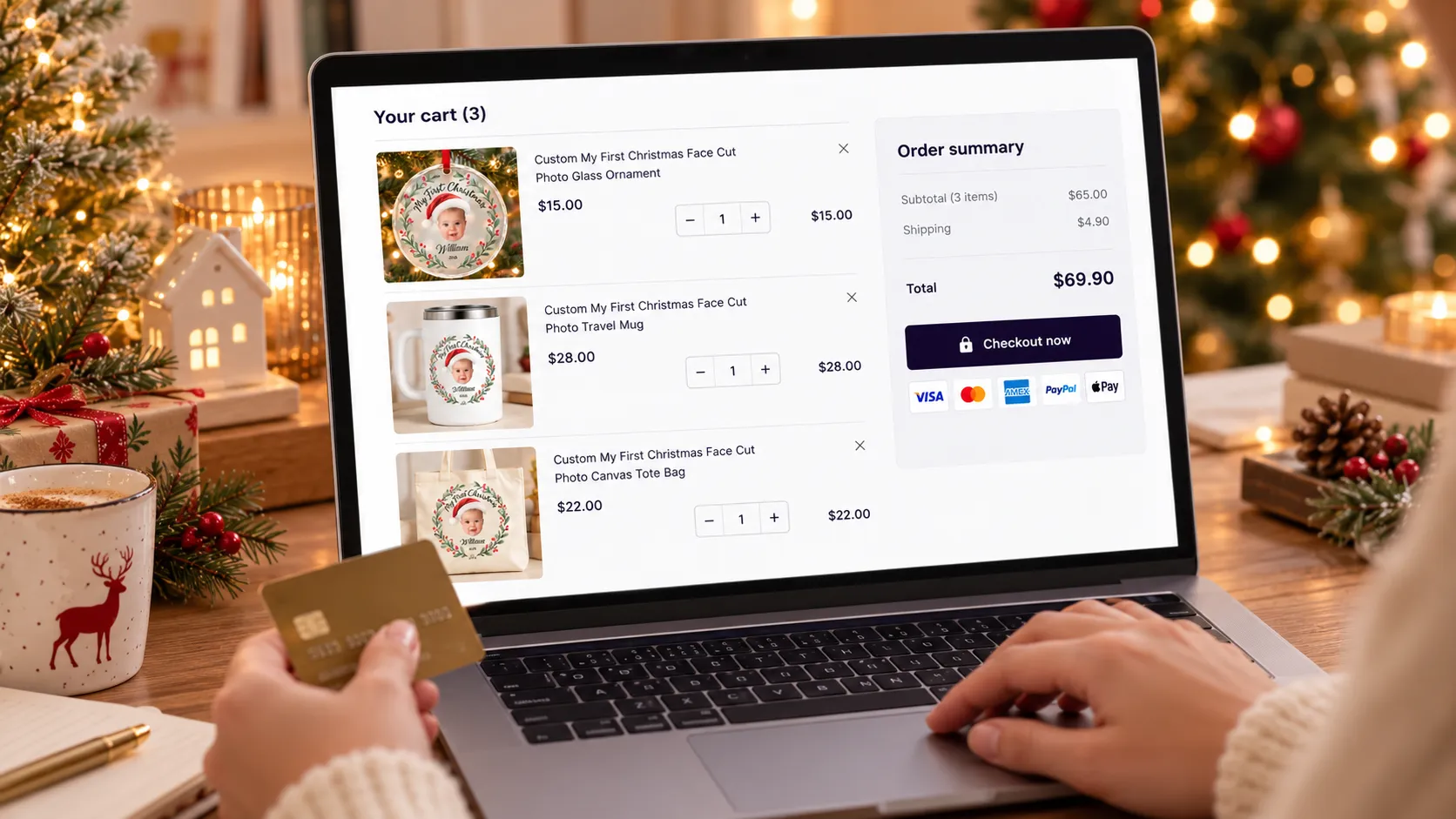
Install for freePicture this. A shopper lands on your store, finds a christmas ornament, and spends a few minutes typing in her daughter's name and uploading her photo. She loves the preview. She adds it to the cart, checks out, and leaves. Done. A nice little $14.50 order.
But here's the thing: that same shopper would have happily bought a matching tumbler and a tote bag with the exact same design. She just never saw them, or she saw them and didn't feel like personalizing everything all over again.
That gap is what cross-selling is all about. And if you sell personalized products, it might be the easiest revenue you're not collecting yet.
In this post, we'll cover what cross-selling is, why it matters so much for merchants, and how Customily helps you do it. We'll also share a brand new update: cross-sell now shows up right on the product page, supports discounts, and adds products to the cart in one click, all with the same personalization your shopper already created.
What Is Cross-Selling?
Cross-selling means offering a customer additional products that complement what they're already buying. A phone case with a screen protector. A coffee mug with a coaster. A pet portrait canvas with a matching pet bandana.
You've seen it a thousand times, even if you never called it that. "Complete the look." "Frequently bought together." "You might also like." Same idea, different labels.
Cross-selling vs. upselling. They're cousins, not twins:
- Cross-selling adds different, related products to the order (mug + tote bag).
- Upselling nudges the shopper toward a more expensive version of the same product (standard mug → premium mug).
Both can lift your revenue. Cross-selling tends to feel more natural, because you're not asking the shopper to spend more on the thing they picked. You're simply showing them what goes with it.
Why Cross-Selling Is Key for Merchants
Let's be honest: getting a shopper to your store is the expensive part. You pay for ads, you invest in SEO, you create content, you build trust. By the time someone is ready to buy, you've already spent real money to get them there.
So the question becomes: once they're here, are you making the most of that visit?
Cross-selling is one of the best answers, and the numbers back it up:
- 10-30% of ecommerce revenue comes from product recommendations, according to Forrester Research.
- Cross-selling done with the right relevance and timing can lift sales by around 20%, according to McKinsey & Company.
- In a Salesforce study of 150 million shopping sessions, shoppers who clicked a recommendation made up just 7% of visits but 26% of revenue.
Read that last one again. A small group of shoppers who engage with recommendations drives a big share of the money. If your store doesn't give them anything to click, you're leaving that revenue on the table.
The Benefits of Cross-Selling
Here's what you actually get when you do it well:
- Higher average order value (AOV). Every extra product in the cart raises the order total without a single extra dollar spent on ads.
- Better return on your ad spend. The same visitor, the same click, a bigger order. Your cost to acquire that customer stays the same while the revenue goes up.
- A better shopping experience. Good cross-sells help shoppers discover things they genuinely want, like a matching gift set. That's helpful, not pushy.
- More gifting and bundle sales. Personalized products are often gifts, and people love buying a set.
- Stronger customer relationships. Shoppers who find several things they love in one place are more likely to come back.
- Smarter use of your catalog. Products that would never get found on their own get a second chance at being seen.
Why Personalized Products Are Perfect for Cross-Selling
Cross-selling works for any store. But it works especially well when you sell personalized products, for one simple reason: the design is already made.
Think about it. The hard part of buying a personalized product is the personalizing. Typing the name, choosing the clipart, picking the colors, checking the preview. That takes effort, and shoppers put real emotion into it.
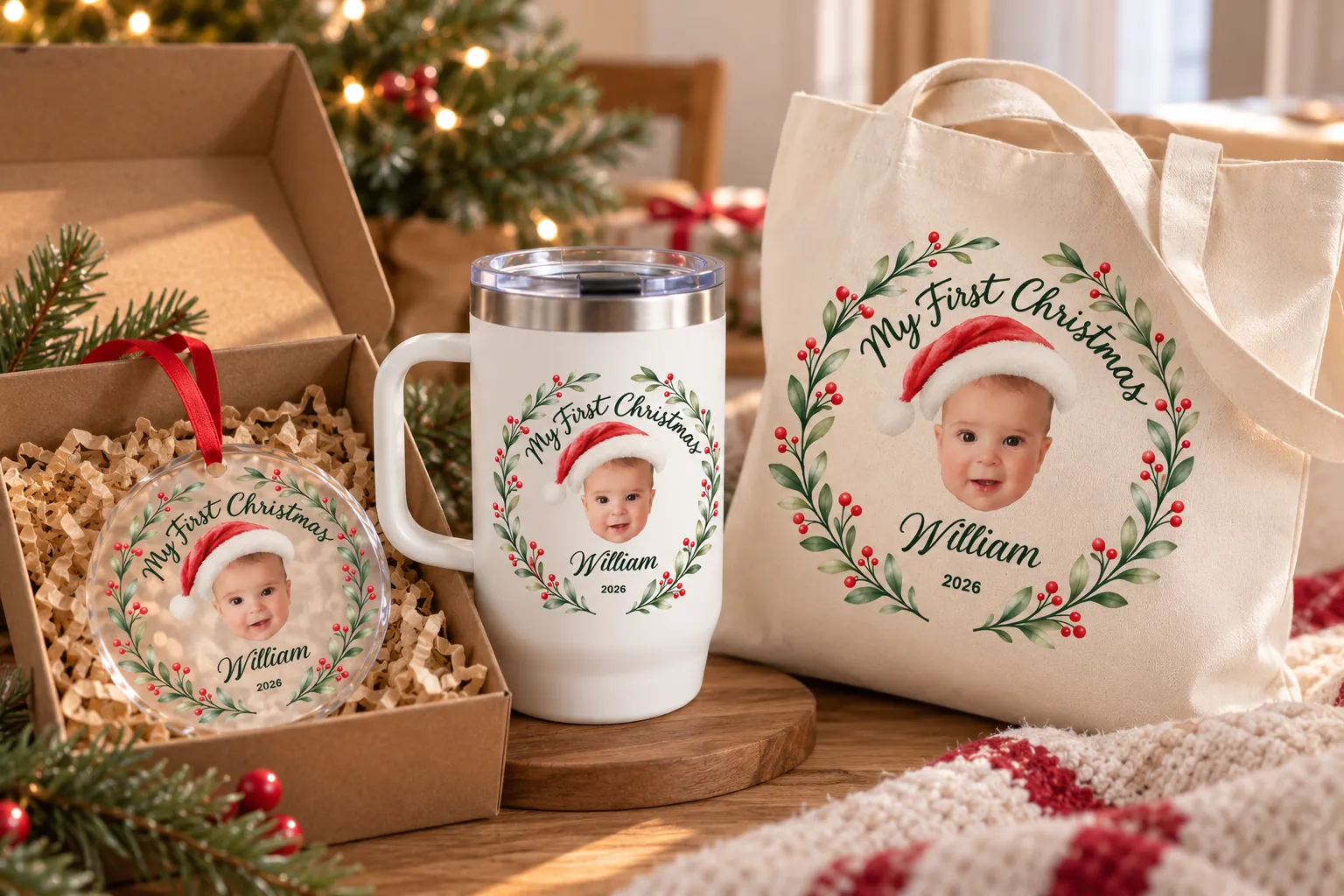
Now imagine you could say: "Love how that looks? Get it on a tote bag and a baby tee too. Same design, no extra work."
That's a much easier yes than starting from scratch. And it's exactly the kind of experience that turns a single-product order into a set.
The catch? Most cross-sell tools can't do this. They show a related product, but the shopper has to personalize it all over again. At that point, a lot of them just skip it.
How Customily Helps You Sell More With Cross-Selling
Customily's cross-sell feature was built to solve exactly that problem. Here's the core idea:
- You choose which products trigger an offer (for example, an ornament).
- You choose which related products to offer (for example, a tote bag and a mug).
- Your shopper personalizes once. The name, clipart, colors, and text carry over to the related products automatically.
No re-typing. No second round of previews to build. The shopper sees their own design on every product, and that's what makes the offer so hard to resist.
You stay in control of the whole thing, too. You decide the triggers, you decide the offers, and you decide how the section looks and what it says.
What's New: Cross-Sell, Revamped
We just gave cross-sell a major update, and it's all about making the offer easier to see, easier to love, and easier to accept. Three big changes:
1. Cross-sell now lives on the product page
Until now, cross-sell offers showed up once the shopper reached the cart. Now you can also show them right on the product page, at the moment your shopper is most excited about their design.
As soon as they personalize the main product, matching products appear below it, with the same photos, clipart, color, and text already applied. The shopper doesn't have to guess how the design will look on a tote bag. They can see it, zoom in, and pick the products they want, all before leaving the page.
2. You can add discounts
You can now apply a discount to your cross-sell offers. Set the percentage you want, and it's applied to the offered products, including in the cart.
Why does this matter? Because a small incentive is often all it takes to turn "maybe" into "yes." A 10% discount on add-ons feels like a gift to your shopper, while your overall order value still goes up.
3. One-click add to cart
Shoppers can add the offered products with one click. The items go straight to the cart with the personalization intact and your discount applied. No extra forms, no extra steps, nothing to fill in again.
And the best part? The design stays the same. Same look, same experience, just more products and bigger orders.
See It in Action: One Design, Three Products
Here's a real example of how it plays out. Imagine your store sells personalized travel mugs.
- Your shopper personalizes a travel mug with her daughter's name: $19.50.
- Right on the product page, she sees a matching tote bag ($11.36) and baby tee ($9.35, with a discount applied) in the same design.
- One click adds them to the cart.
- She checks out with three products instead of one: an order of $40.21, roughly 2.1x the original order value.
She personalized once, and you got three products in the cart. That's the whole idea.
Try it live on our demo store
Reading about it is one thing. Seeing it work is another. If you want to experience cross-sell exactly as your shoppers would, visit our demo store and test it yourself: personalize a product, then watch the matching offers appear with your design already applied.
👉 Test the cross-sell live on our demo store
How to Set Up Cross-Sell in Customily
Setting up the revamped cross-sell takes just a few minutes. Here's what you'll configure in your Customily Product Settings:
- Name your cross-sell. Give it an internal name so you can find it later (for example, "Complete the set with a t-shirt").
- Write the title shoppers will see. Something friendly like "Complete your set!" or "You may also like..." works well.
- Turn on "Apply Discount" and choose the percentage you want to offer. This one is new.
- Turn on "Show on Product Page" to display offers right where shoppers personalize. This one is new too.
- Choose your trigger products. These are the products that bring up the offer when they're added to the cart or viewed on their product page.
- Pick your offers. Select the related products you want to show alongside each trigger.
- Optional: use "Allow different option sets" if you want to offer products that use different personalization setups. Just make sure the personalization options are compatible, so the design transfers correctly.
Need help setting up your products? Don't hesitate to reach our support team at: support@customily.com
Tips for Cross-Sell Offers That Actually Convert
A few things we'd suggest, based on what tends to work for cross-selling in general:
- Keep offers relevant. A mug and a tote bag make sense together. A mug and a garden hose don't. Relevance is what separates a helpful suggestion from noise.
- Offer a few options, not a wall of them. Two or three well-chosen products are easier to say yes to than twelve.
- Pick add-ons that cost less than the main product. A smaller add-on usually feels like an easy extra rather than a second big purchase.
- Think in sets and gifts. Matching mugs, totes, tees, and ornaments are a natural fit for personalized products.
- Use a small, clear discount. Even a modest percentage gives shoppers a reason to act now. Test a few levels and see what works for your store.
- Test and adjust. Try different pairings and titles, then keep the combinations that sell.
Conclusion
Cross-selling isn't about pushing more stuff on your customers. It's about showing people the products they would have loved anyway, at the exact moment they're ready to say yes.
With Customily's revamped cross-sell, that moment just got a lot better. Offers show up on the product page, discounts are built in, and shoppers can add products with one click, with the design they created already applied to every item. One personalization, a full set in the cart, and a bigger order for you.
If you already use Customily, give it a try and set up your first cross-sell today. And if you're new to Customily, start your free trial and see how much more each visitor can be worth.
Don't leave money on the table 💜
Frequently Asked Questions About Cross-Selling
What is cross-selling in ecommerce?
Cross-selling is the practice of recommending related or complementary products to a customer who is already buying something. For example, offering a tote bag and a baby tee to someone who's buying a personalized travel mug. The goal is to help the shopper find items that go well together while increasing your average order value.
What's the difference between cross-selling and upselling?
Cross-selling suggests additional, related products (a mug and a tote bag). Upselling encourages a customer to buy a more expensive or upgraded version of the product they're already considering. Many stores use both.
Why is cross-selling important for online stores?
It lets you earn more from visitors you've already paid to attract. Product recommendations can drive a meaningful share of ecommerce revenue, and cross-selling can raise your average order value without increasing your ad spend.
How does cross-selling work with personalized products?
When a shopper personalizes a product, you can offer related products that automatically use the same personalization, such as the same name, clipart, colors, and text. That way the shopper doesn't have to design each item from scratch, which makes adding more products much easier.
Does the shopper need to personalize each cross-sell product again?
No. With Customily's cross-sell, your shopper personalizes the main product once, and that design carries over to the offered products. They can see their own design on each one before adding it.
Can I show cross-sell offers on the product page?
Yes. With the revamped cross-sell, you can turn on "Show on Product Page" so shoppers see matching products as soon as they personalize the main product, in addition to the cart.
Can I add a discount to my cross-sell offers?
Yes. You can turn on "Apply Discount" and set the percentage you want to offer on cross-sell products. The discount is applied in the cart too.
How do shoppers add cross-sell products to their cart?
With one click. The offered products go straight to the cart with the shopper's personalization and your discount already applied.
Which products should I offer as cross-sells?
Start with products that naturally go together and share a design, like mugs, tote bags, and tees, or a pet portrait and a matching accessory. Offer two or three relevant options, and try picking add-ons that cost less than the main product.
Which platforms support Customily's cross-sell?
Cross-selling is currently available for Shopify stores. Check our help center for the latest details.
How do I get started?
Open the cross-sell section in your Customily App, under Products settings; name your offer, choose your trigger products and offers, and decide whether to add a discount and show it on the product page. If you're new to Customily, start with a free trial.