Table of Contents
Personalize your Shopify products
Install for freeThe design bottleneck is real. But AI is changing how fast sellers can create, test, and sell personalized products. Here's what's actually working right now.
The New Speed Advantage in Personalized Products
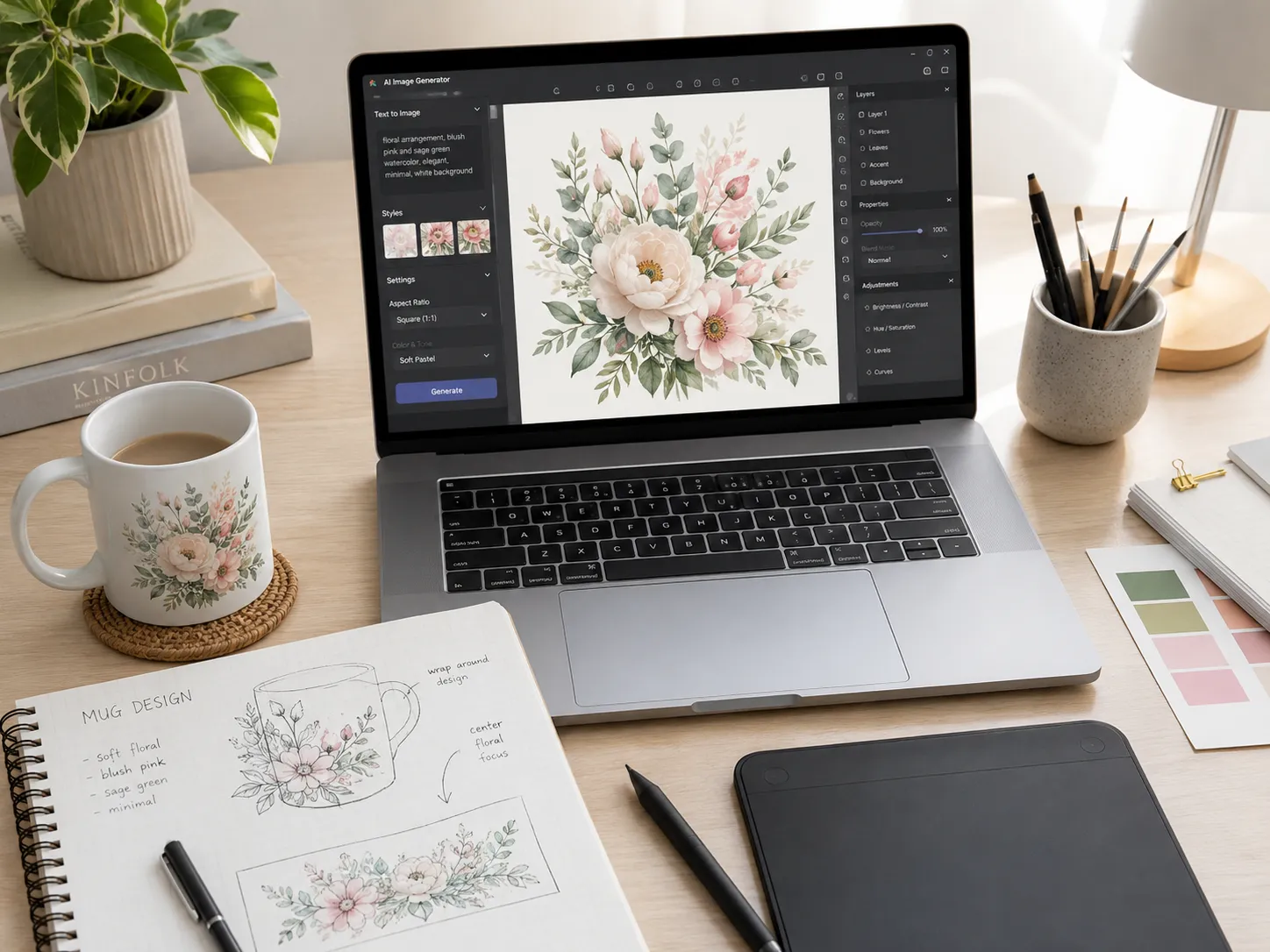
A few years ago, launching a new personalized product line meant hiring a designer, waiting days for mockups, and hoping the niche would sell. Today, sellers using AI tools for personalized product design are going from idea to live listing in hours, not weeks.
Whether you sell on Etsy, Shopify, or through a print-on-demand platform, AI is reshaping every step of the design workflow: generating concepts, creating variations, building mockups, and even writing the listing copy. The sellers moving fastest right now aren't necessarily the most talented designers; they're the ones who've figured out how to use AI as a creative co-pilot.
This guide covers the best AI tools for personalized product design, how to use Midjourney for print-on-demand designs, what's working for AI for Etsy sellers, and how platforms like Customily fit into a modern, AI-accelerated workflow.
Why Speed Matters So Much in Personalized Product Design
Personalized product niches move fast. A trending name, a seasonal moment, a viral meme, sellers who can design, list, and fulfill quickly capture the demand wave. Those who take two weeks to get a design live often miss it entirely.
AI tools give you speed in three specific ways:
- Concept generation: Generate dozens of design directions in minutes instead of starting from a blank canvas
- Variation creation: Spin out color, style, and format variations without rebuilding from scratch
- Mockup production: Get photorealistic product mockups without a professional photo shoot
Let's break down the best tools for each stage of the workflow.
Stage 1: Concept Generation - Finding the Design Direction Fast
Midjourney for Print-on-Demand Designs
Midjourney has become the go-to AI image generator for print-on-demand sellers, and for good reason. Its output quality is high enough to use as a direct design base, and its style range is enormous.
How to use Midjourney for POD designs:
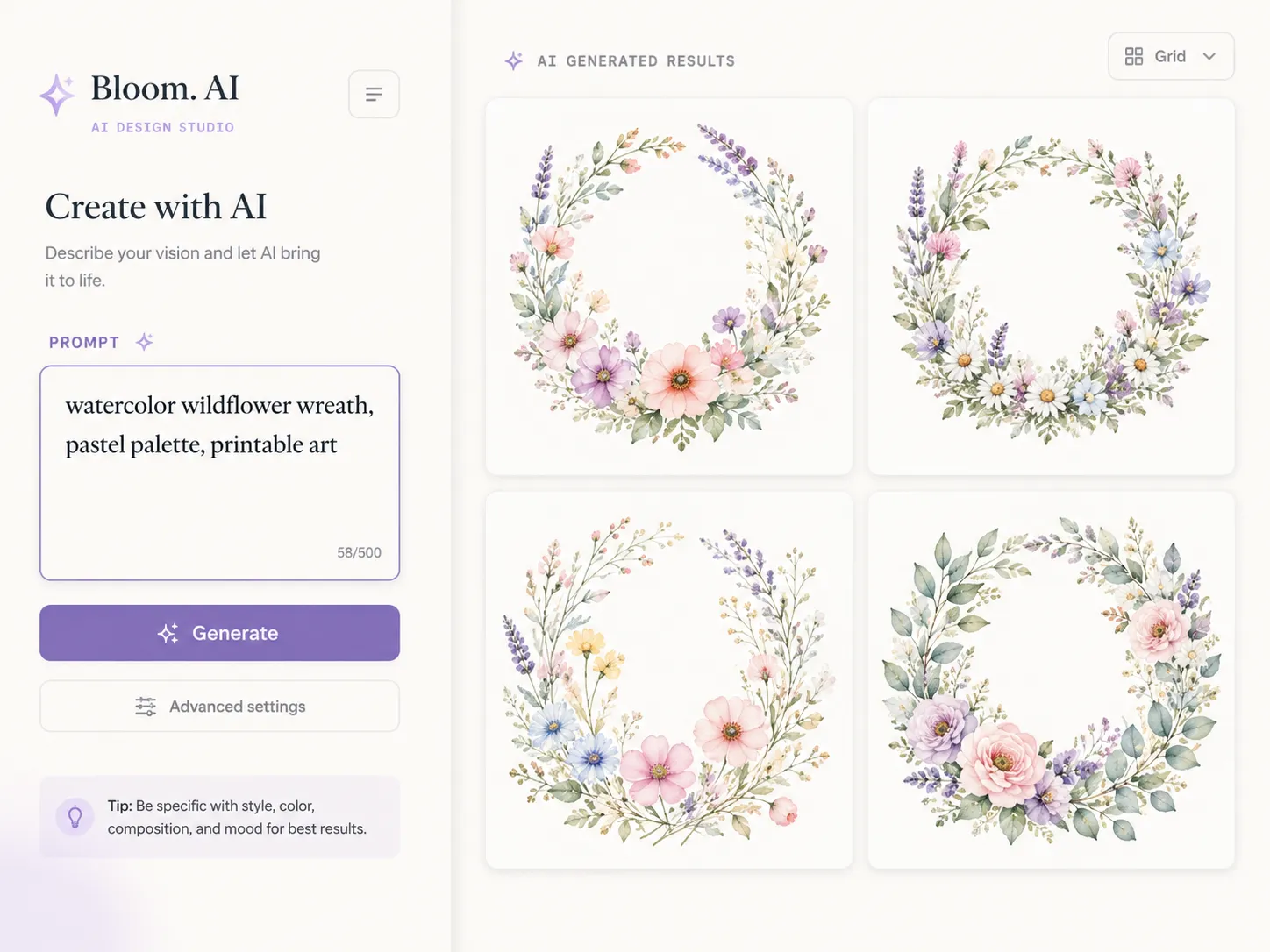
Start with niche-specific prompts that describe the aesthetic, not just the subject. Instead of "a floral design for a mug," try:
"Watercolor wildflower wreath, soft pastel palette, white background, seamless repeat pattern, printable art style — v6"
Or for text-based designs (a huge category for Etsy personalized products):
"Retro varsity font lettering, distressed texture, warm earth tones, vintage sports aesthetic, transparent background — v6"
Midjourney tips for POD sellers:
- Use --no background or ask for transparent/white backgrounds to simplify extraction
- Generate in high aspect ratios (--ar 2:3 for vertical prints, --ar 1:1 for square products)
- Use /blend to mix two styles you love into something new
- Save successful prompts in a swipe file, they're reusable across niches
Important: Always run Midjourney outputs through your own editing workflow (Adobe Express, Canva, or Photoshop) before using in a product. Clean up edges, adjust colors, and ensure resolution is print-quality (300 DPI minimum).
Adobe Firefly
Adobe Firefly is trained on licensed content, which makes it a safer choice if you're concerned about copyright. It integrates directly into Photoshop and Adobe Express, making it ideal for sellers already in the Adobe ecosystem.
Use Firefly's Generative Fill to extend backgrounds, add elements, or create seamless patterns around a base design. It's especially powerful for lifestyle product mockups, generating a realistic background around your product image in seconds.
DALL·E 3 (via ChatGPT)
For sellers who find Midjourney's prompt syntax intimidating, DALL·E 3 via ChatGPT is a more conversational option. You can describe what you want in plain language and iterate through dialogue:
"Make it more rustic. Add a small sunflower in the bottom right corner. Change the font to something handwritten."
This makes it accessible for sellers who aren't used to crafting detailed AI prompts, and the results have improved significantly with DALL·E 3.
Stage 2: Design Refinement - From AI Output to Print-Ready File
AI generates starting points, not finished products. These tools help you bridge that gap fast:
Canva (with Magic Studio)
Canva's Magic Studio suite has made it one of the most practical AI tools for Etsy sellers. Key features:
- Magic Design: Paste in a concept and get full layout variations instantly
- Background Remover: One click to isolate design elements from AI-generated images
- Magic Resize: Instantly reformat a design for mugs, t-shirts, tote bags, phone cases, and more
- Text Effects: Generate stylized text treatments that work well for personalized name designs
For sellers who don't use professional design software, Canva + Midjourney is a powerful combination that keeps the entire workflow browser-based.
Adobe Express
Similar to Canva but with stronger Adobe integration. Adobe Express shines for sellers who need consistent brand aesthetics across multiple product lines. Its AI-powered Text to Template feature generates full design layouts from a text description, useful for quickly testing new product categories.
Vectorizer AI / Adobe Illustrator (Image Trace)
Print-on-demand products often require vector files, especially for embroidery, vinyl cutting, and DTF printing. If your AI-generated design is raster (JPG/PNG), run it through Vectorizer.ai or Adobe Illustrator's Image Trace to convert it. This step is non-negotiable for apparel and accessories destined for high-quality print methods.
Stage 3: Personalization Layer - Turning a Static Design Into a Personalized Product
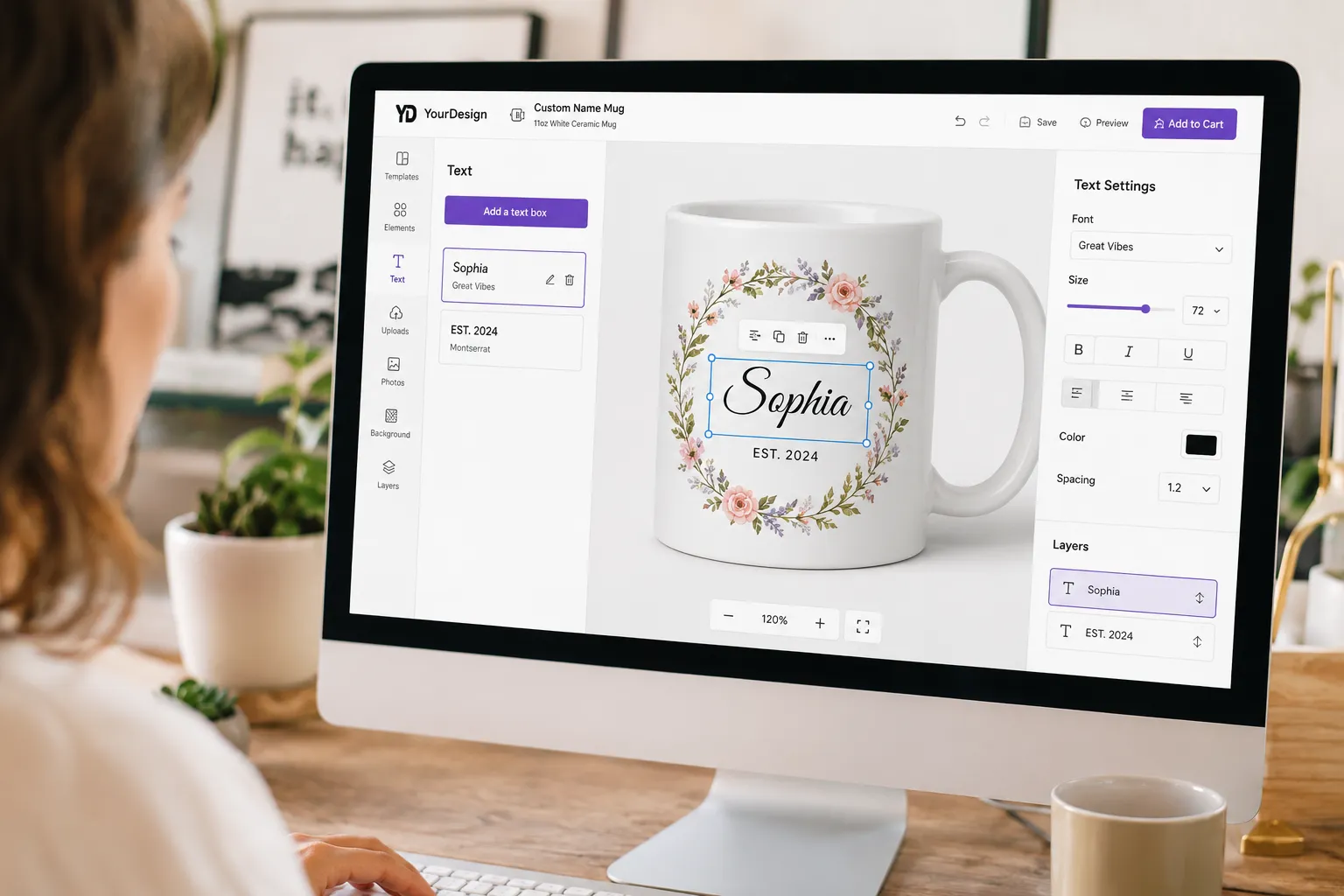
Here's where the workflow gets powerful for personalized product sellers specifically. AI tools are great at generating the base design: the background, the graphic elements, the aesthetic. But adding the personalization layer (the customer's name, date, photo, or message) requires a different kind of tool.
This is where platforms like Customily, Kickflip, and Printify's native customization come in. These product customization tools let you:
- Build a template from your AI-generated design
- Define which elements are editable (name, text, photo upload zones)
- Show customers a live preview of their personalized version
- Send print-ready files to your POD supplier automatically
The workflow looks like this:
Midjourney (concept) → Canva/Photoshop (refine + clean up) → Customily (add personalization layer) → POD supplier (fulfill)
Each tool does what it does best. AI handles the creative heavy lifting. The customization platform handles the customer-facing experience and production output.
Stage 4: Mockups - Showing the Product Before It Exists
A great design won't sell if the listing photos are mediocre. AI mockup tools have made professional-looking product photography accessible to every seller.
Customily (AI Mockup Generator: Free & Included)
If you're already using Customily to manage your personalization layer, you don't need a separate mockup tool. Customily includes a built-in AI mockup generator that creates photorealistic mockups of your product, personalized design included. It's completely free and built into the platform, which makes it one of the most practical advantages for POD sellers who want a streamlined workflow without juggling extra tools or costs.
Gelato, Printful & Printify (Built-in Mockup Generators)
Most major POD platforms have improved their mockup generators significantly. If you're already using one of these suppliers, start here, it's the fastest path to a listing-ready mockup.
Placeit by Envato
Placeit offers thousands of lifestyle mockup templates. Upload your design file, and it's placed onto a realistic product in a real-world setting. Great for:
- Apparel worn by models
- Mugs and tumblers in home/café settings
- Wall art in styled interior spaces
Pebblely and Glorify
These AI-native mockup tools generate photorealistic lifestyle backgrounds around your product image automatically. Upload a product photo or design, describe the setting you want, and get a studio-quality lifestyle image in seconds. Particularly useful for:
- Jewelry and accessories
- Home décor and gifts
- Seasonal and holiday products
How AI Is Changing the Etsy Personalized Product Game Specifically
For AI for Etsy sellers, the biggest opportunity isn't just faster design, it's faster niche exploration.
With AI tools, you can:
Test more niches with less investment. Generate 5 design concepts for a niche in an afternoon, list them, and let the market tell you what's working before you invest in deep inventory or elaborate templates.
Create seasonal collections at scale. Christmas, Valentine's Day, Mother's Day; personalized products spike hard around every major holiday. AI lets you build out a full seasonal collection in days, not weeks.
Maintain design consistency across a large catalog. Use a consistent prompt formula and style guide in Midjourney to ensure your shop has a cohesive aesthetic even as your catalog grows to hundreds of SKUs.
Write listing copy with AI assistance. ChatGPT or Claude can draft your Etsy listing titles, descriptions, and tags from a product description in seconds, keeping your SEO-optimized copy consistent at scale.
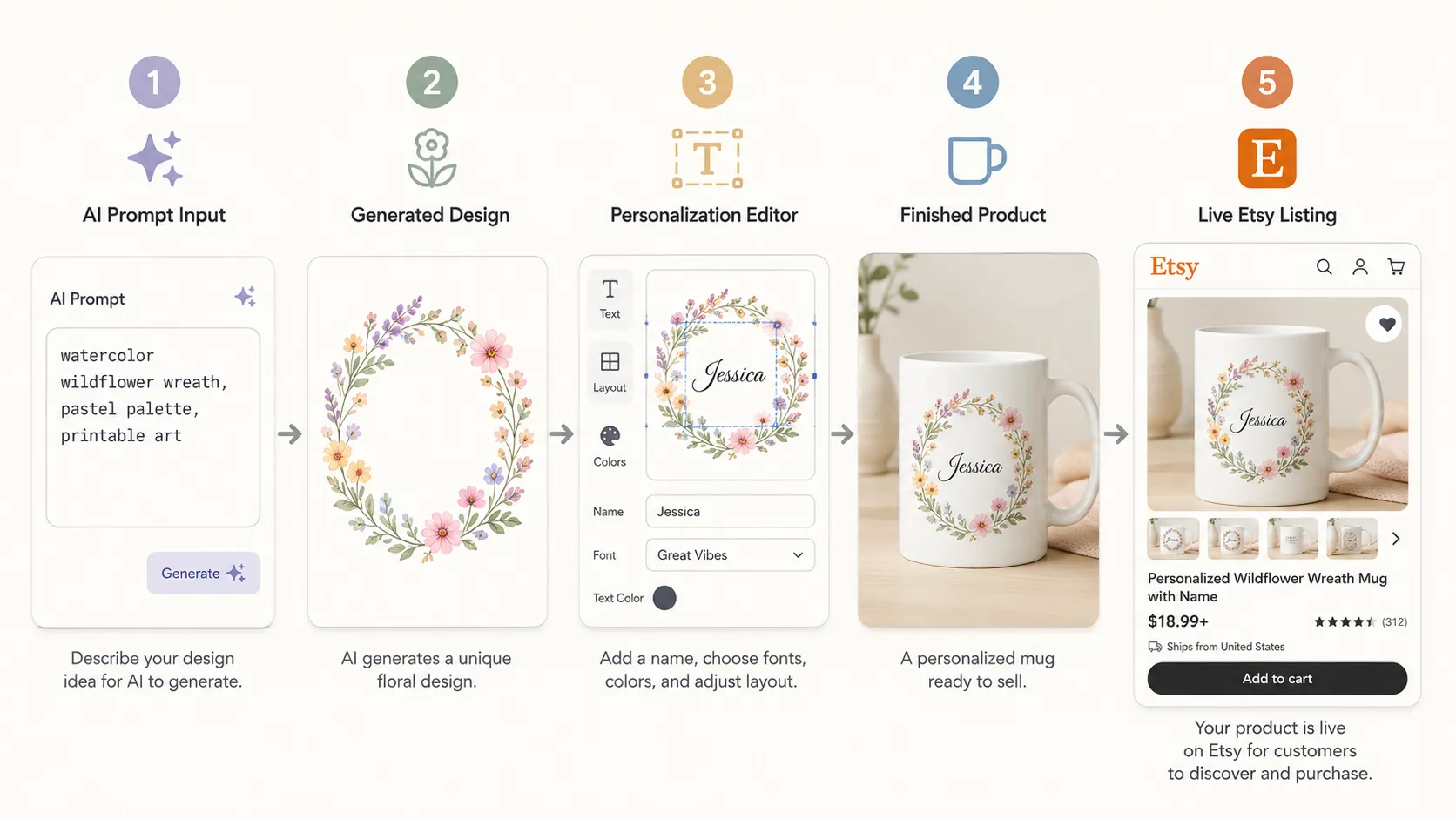
A Sample AI-Powered Design Workflow for a Personalized Mug
Here's what a real, end-to-end workflow looks like for a custom name mug:
- Niche research: Use EtsyHunt or Alura to identify trending searches (e.g., "botanical name mug")
- Concept generation: Prompt Midjourney: "Delicate botanical illustration, line art style, eucalyptus and wildflowers, black ink on white, elegant and minimal, printable — v6"
- Refinement: Import into Canva, clean up, add a placeholder text zone for the customer's name
- Personalization template: Upload to Customily, define the name field, set font options
- Mockup: Generate a lifestyle mockup with Customily's AI mockup generator
- Listing: Use ChatGPT to draft the title, description, and 13 Etsy tags
- Live: Push to Etsy with your POD supplier connected for automatic fulfillment
Total time for an experienced seller using this workflow: 2–3 hours per product, compared to 1–2 days the traditional way.
What AI Tools Can't Do (Yet)
Be realistic about the limits:
- AI won't replace your niche instincts. Knowing which personalized products will sell requires market research and seller experience that AI can't replicate.
- AI output needs human curation. Not every Midjourney generation is usable. Plan to generate 10–20 variations to get 2–3 worth developing.
- Copyright and originality still matter. Avoid prompting AI to replicate existing styles or recognizable characters. Build original aesthetics.
- Personalization UX still requires design thinking. Great AI-generated art with a poorly designed personalization template will still lead to unhappy customers and returns.
Summary: Build Your AI-Powered Design Stack
The sellers winning with personalized products right now are using AI as a force multiplier, not a replacement for creative judgment.
Here's the lean stack that covers every stage:
- Concept generation: Midjourney, DALL·E 3
- Design refinement: Canva Magic Studio, Adobe Express
- Vectorization: Vectorizer.ai, Adobe Illustrator
- Personalization layer: Customily, Kickflip, Printify native customization
- Mockups: Customily, Placeit, Pebblely, Glorify
- Listing copy: ChatGPT, Claude
Start with one tool per stage, get fast at the workflow, then optimize. The goal isn't to use every tool, it's to remove every bottleneck between your idea and a live, sellable product.
The sellers who master this workflow in the next 12 months will have a catalog and a speed advantage that's very hard for slower-moving competitors to catch up to 🚀
Frequently Asked Questions
Is it legal to sell products designed with AI tools like Midjourney?
Generally yes, but with caveats. Avoid prompting AI to replicate specific existing artworks, recognizable characters, or trademarked styles. Build original aesthetics from your own prompts. Adobe Firefly is the safest option commercially, as it's trained exclusively on licensed content. Always review the terms of service of whichever tool you use, as policies are still evolving.
Can AI-generated designs be used for print-on-demand without editing?
Rarely straight out of the generator. Most AI outputs need at least some cleanup, removing artifacts, adjusting colors, ensuring resolution is print-quality (300 DPI minimum), and sometimes converting to vector format for certain print methods. Think of AI as giving you a strong starting point, not a finished file.
What's the best AI tool for Etsy and Shopify sellers just starting out?
For beginners, DALL·E 3 via ChatGPT is the most accessible, you can describe what you want in plain language and refine through conversation. Once you're comfortable, Midjourney produces higher-quality results and gives you more creative control. Pair either with Canva Magic Studio for refinement and you have a complete beginner-friendly workflow.
How do I make sure my AI-generated designs stand out from other sellers using the same tools?
Develop a signature prompt style, a consistent set of aesthetic choices (color palette, illustration style, mood) that you apply across your catalog. The more specific and original your prompts, the less your designs will look like generic AI output. Mixing AI generation with your own editing, composition choices, and niche knowledge is what creates a distinctive shop.
Do I need design experience to use AI tools for personalized products?
No, but creative judgment still matters. AI handles the technical execution, but you still need to evaluate which outputs are worth developing, understand what your niche audience responds to, and make editing decisions that improve the raw AI output. Sellers with some design intuition - even basic - will get better results faster.


.webp)