Table of Contents
Personalize your Shopify products
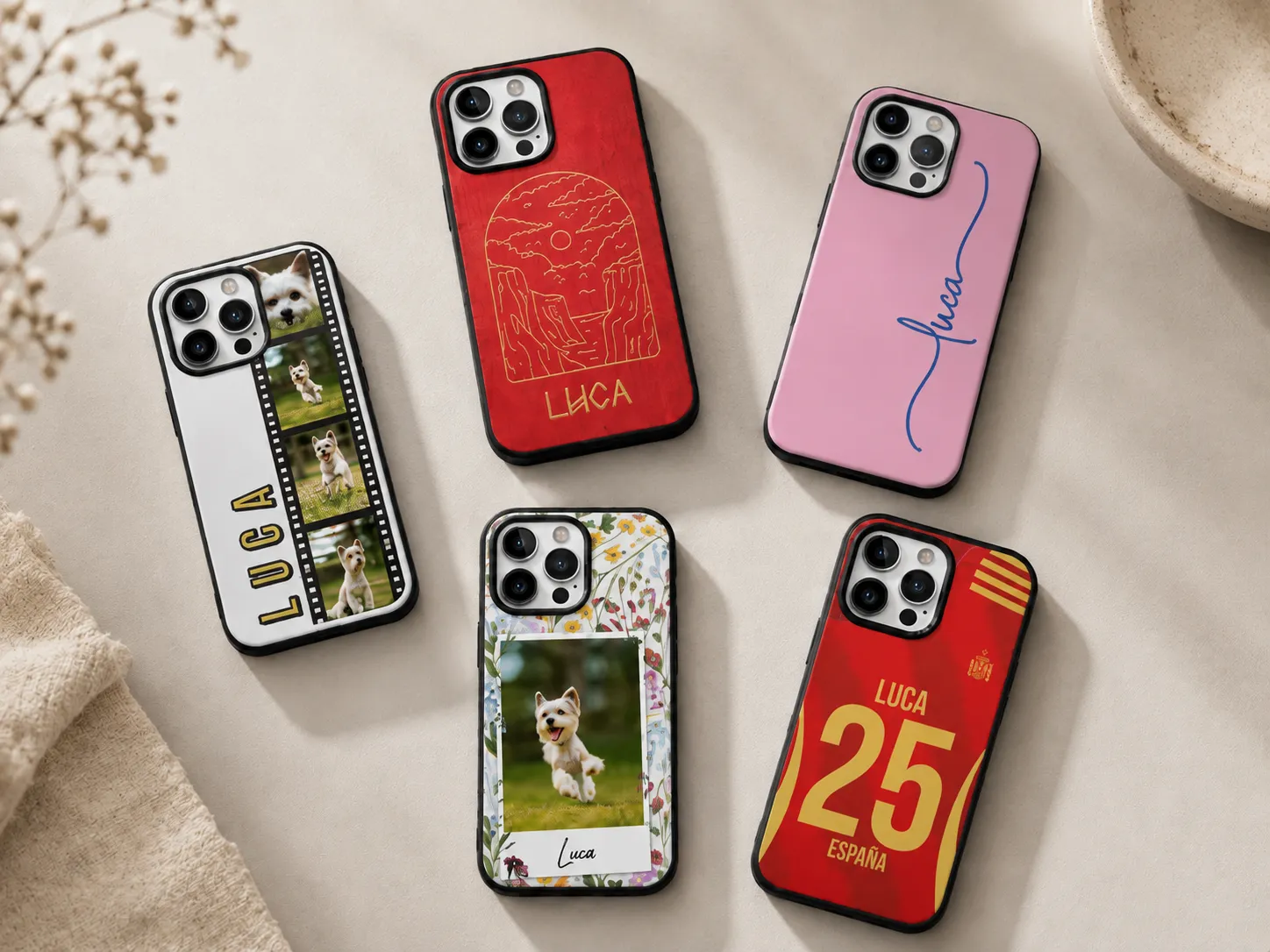
Install for freePhone cases are a strange product to sell online, because the thing that makes them a good custom item - everyone owns a phone, everyone wants theirs to look different - is also what makes them a pain to fulfill. It's not one product. It's one design across dozens of phone models, each with its own camera cutout, button placement, and case dimensions. Get that wrong and you're not dealing with a slightly-off print, you're dealing with a case that doesn't fit the phone at all.
That's why the app you pick matters more here than in almost any other personalized product category. A generic customizer that treats a phone case like a flat rectangle will eventually ship a case with the camera lens half-covered or a design that's centered on an iPhone 13 template and stretched wrong on a Galaxy S24. A good one accounts for model-specific templates, keeps safe zones around cutouts and buttons, and shows the customer a preview that actually reflects their phone, not a generic stand-in.
We put together this comparison to help you sort through the personalized phone case apps, photo case tools, and print-on-demand case platforms currently available for Shopify, including where a straight-up POD platform like Printify fits, and where a dedicated live-preview personalizer earns its keep.
Quick answer, if you're short on time:
- Customily: best for stores that want live preview personalization with model-accurate templates and automated print-file generation tied directly to multiple POD suppliers
- Printify: best for testing personalized cases cheaply with a native tool, or for the widest phone model catalog and lowest base production costs
- Kickflip: best for multi-component or highly configurable custom products
- Zepto: best budget option for simple Shopify-only text personalization
- Inkybay: best for print shops that produce in-house rather than routing to a POD network
- Printbelle: best for stores that want one POD app covering phone cases alongside a broad catalog of other product categories
- Casestry: best phone-case specialist POD supplier if fit accuracy and premium printing matter more to you than the lowest base cost
What actually makes a phone case personalizer good
Before getting into specific apps, it's worth knowing what actually separates a good phone case customizer from one that'll cause returns.
- Model-specific templates: Does the app maintain accurate safe zones and cutout positions for each phone model, or does it force one generic template across every device?
- Live preview quality: Does the mockup update in real time and reflect the actual case shape - including the camera cutout and button openings - or is it a flat image slapped over a stock photo?
- Mobile experience: Almost everyone shopping for a phone case is doing it on their phone. If the upload/crop/preview flow is clunky on mobile, expect a high abandoned cart rate.
- Print-file automation: Once an order comes in, does the app generate a print-ready file automatically per model, or does someone on your team have to manually adjust the design for each device?
- POD fulfillment integration: Are you connected to a supplier (Printify, Printful, Gelato, etc.) so orders route straight to production, or are you handling fulfillment yourself?
- Customization options: Text, photo upload, clipart, and material/finish choices (hard case, silicone, leather-look, MagSafe-compatible) where the supplier offers them.
- Customer support: Phone case orders go wrong more visibly than most personalized products (wrong model, misaligned cutout), so when something does go wrong, how fast can you actually reach someone? Live chat vs. ticket-only support can be the difference between resolving an issue same-day and losing a customer.
With that in mind, here's how the main options stack up.
Shopify Phone Case Personalizer Apps at a Glance
Seven apps, three different jobs: personalization tools that show customers a live preview, POD suppliers that print and ship the finished case, and a couple that do both. Here's how they stack up before we get into the details on each one.
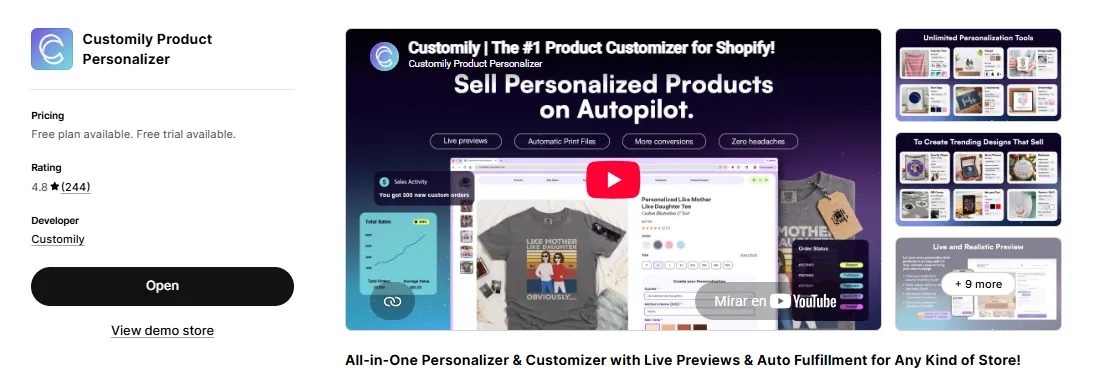
Customily
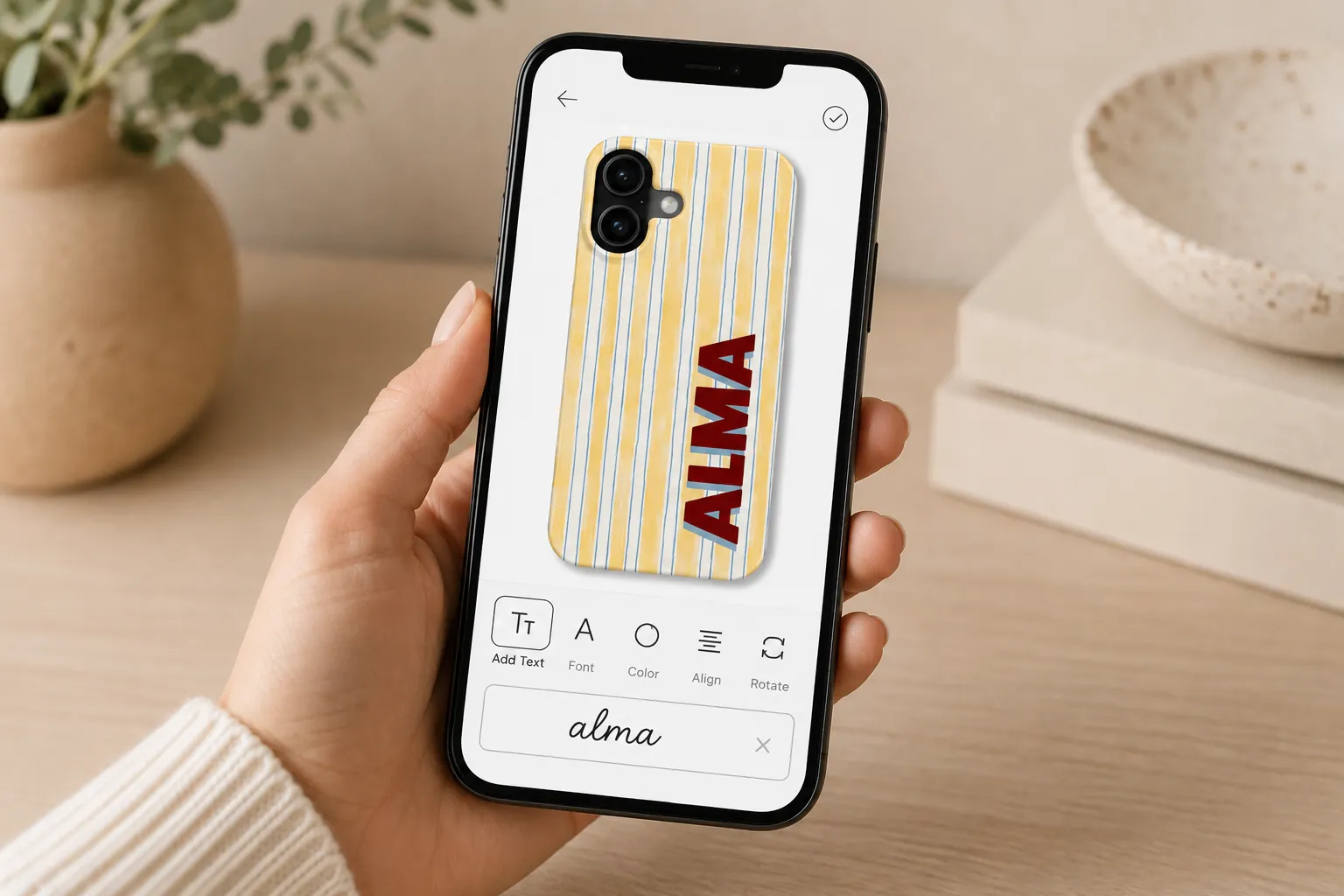
Customily is built around the personalize-then-fulfill workflow, and phone cases are one of the categories where that pays off most. Because case dimensions and cutouts vary by model, Customily keeps template accuracy tied to the specific phone the customer selects: the live preview updates as they add text, upload a photo, or drop in clipart, and shows the design positioned correctly around the camera and buttons for that exact model, not a generic stand-in.
What sets it apart for phone case sellers specifically is that this template accuracy carries through to fulfillment. Once an order comes through, Customily generates a print-ready file automatically, matched to the correct case template for that model and supplier, and routes it to your connected POD partner, so nothing sits in a queue waiting for someone to manually check that the design won't print over the camera lens.
Key features
- Real-time live preview with model-specific safe zones: the mockup reflects the actual case shape and cutout positions for the phone the customer selects, not a flat generic template
- Automatic print-ready file generation per order, matched to the correct model and supplier (no manual export or cleanup needed on your end)
- Direct integrations with multiple POD suppliers, including Printify, Printful, Gooten, Gelato, CustomCat, ShineOn, Teelaunch, JetPrint, MerchOne, and Casestry: the last of which specializes specifically in phone cases
- Works across Shopify, Etsy, and WooCommerce: useful if phone cases are part of a multi-platform store rather than a Shopify-only shop
- Text, photo upload with background removal and face-cut tools, and clipart library
- Clipmasks and conditional logic, so you can control exactly where a design can sit relative to camera cutouts and buttons, and hide/show case material or model options based on earlier choices
- Global live-chat support team
Pricing: Flat $49/month, plus a free trial to test it on your own phone case catalog before committing.
Our take: The advantage here is that model accuracy and fulfillment live in one place, what the customer approves in the preview is what gets printed for their exact phone, with no manual step where a design ends up misaligned on a model it wasn't built for. It's a better fit for stores treating phone cases as an ongoing category across many models than for someone testing a single design on one device.
Printify's built-in Personalization tool
Worth mentioning because it's the option that requires zero extra apps. Printify added a native Personalization feature to its Product Creator, you add a text layer (and optionally an image layer) under the "Personalize" tab, set a character limit, and shoppers can type their own text or upload a photo directly into the product listing. Printify flags the order for you to approve before it goes to production.
Key features
- Native personalization built into the Product Creator, no third-party app or extra subscription required
- Text and image layers with adjustable character limits to protect design integrity
- Buyer-facing "Personalize it" badge shown automatically on eligible listings
- Manual approval step before an order moves to production, giving you a last check before printing
- One of the widest phone model catalogs in POD, cases for the latest iPhone, Samsung, and Google Pixel models, each quoted by multiple competing print providers so you can shop base cost by region
Pricing: Free to use. The optional Premium plan runs from roughly $39/month (or less billed annually) and knocks a meaningful chunk off product base costs, which matters once volume grows.
Our take: If you're not sure phone cases are worth building into a dedicated category yet, this is the lowest-risk way to find out, no new subscription, and you're covered on model breadth from day one. Where it falls short is depth: there's no live preview showing exactly how a design sits around a specific model's camera cutout before the order is placed, and the manual approval step means you (or someone on your team) is the one catching alignment issues, not the software.
Kickflip
Kickflip is built for products with multiple configurable components, which is less central to phone cases than to something like build-your-own furniture or multi-part gift sets, but it can still work if you're offering case + accessory bundles or multiple material/finish options per model.
Key features
- Live angle previews as customers adjust components or options
- Build-your-own-product logic, useful for bundling a case with a screen protector, popsocket, or similar add-on
- Conditional pricing based on selected components
Pricing: From roughly $59/month, plus a transaction fee.
Our take: Kickflip's real strength is multi-component configuration, which is overkill if you're just selling a personalized case on its own. It makes more sense if phone cases are part of a bundled or build-your-own offering rather than a standalone personalized product.
Zepto
Zepto keeps things simple: text-based personalization, conditional logic, and a genuinely low price point.
Key features
- Live preview for text-based personalization
- Conditional logic, show or hide options depending on earlier customer choices (like case material or model)
- Unlimited variant options per product on every plan
- Price add-ons that adjust automatically as customers pick premium features
Pricing: Starts at $9.99/month, no transaction fees.
Our take: It's Shopify-only, so it won't help if you're also selling on Etsy or WooCommerce, and there's no built-in POD fulfillment automation or model-specific template accuracy, you'd need to manage print-file generation and cutout alignment separately, model by model. For a Shopify-only store doing simple name or initials personalization on a limited set of case models, it's hard to beat on price.
Inkybay
Inkybay is built more for print shops than POD dropshippers, strong on multi-print-area design and vector file output, which matters if you're printing cases in-house or working with a local supplier rather than an automated POD network.
Key features
- Live design tool with multi-print-area support
- Vector file output, ready for local or in-house print production
- Large font and clipart library
- Team collaboration and sharing options for design review
Pricing: Starts around $19.99/month for the Starter tier (10 products, 30 orders/month), scaling up to $99.99/month for higher volume.
Our take: If your phone case business is "we control production ourselves" rather than "we route everything to a POD supplier," Inkybay's vector export is a real advantage. The catch is that you're also on the hook for maintaining accurate templates across every phone model you sell, since that's not something the app manages for you the way a POD-integrated personalizer would.
Printbelle
Printbelle is a general-purpose POD fulfillment app rather than a phone-case specialist, it covers phone cases alongside a wide catalog spanning apparel, drinkware, bags, home decor, and more, sourced through a network of vetted fulfillment partners.
Key features
- Broad product catalog with phone cases as one category among many, apparel, drinkware, bags, blankets, jewelry, wall art, and more
- 1-5 day production and shipping turnaround
- Zero inventory cost, you only pay base cost and shipping once an order comes in
- Design tools, mockup generation, and custom packaging options built into the app
Pricing: Free to install, with charges limited to the base product cost and shipping per order.
Our take: Printbelle is a reasonable pick if phone cases are one of several personalized categories you're running and you'd rather manage one fulfillment app than several. It's not phone-case-specific, though, model coverage and cutout accuracy will depend on what's in Printbelle's general catalog rather than a supplier built around phone case fit.
Casestry
Casestry is a phone-case specialist, not a general POD platform, printing, packing, and shipping mobile tech accessories is its whole business, and that focus shows in the details: edge-to-edge full-color printing, models covering current iPhone, Samsung, and Google Pixel releases, and most orders shipping within one business day from its New York facility. It's also one of the POD suppliers that connects directly into Customily, so if you're already using Customily for the live preview and personalization layer, Casestry can sit underneath it as the fulfillment partner specifically for your phone case line.
Key features
- Phone-case-specific catalog with accurate model coverage for current-generation iPhone, Samsung Galaxy, and Google Pixel devices
- Edge-to-edge, full-color premium printing with a lifetime warranty backing each order
- No subscription fee, pay per case produced
- Most orders ship within one business day
- Custom packing slips, branded shipping labels, and personalized packaging inserts for white-label sellers
- Direct integration with Customily as a connected POD supplier
Pricing: Free to install; per-case wholesale pricing runs roughly $12-18 depending on model and case type, generally higher than broader-catalog POD suppliers, which reflects the premium print quality and faster turnaround.
Our take: Casestry is worth it specifically because it's built around phone cases rather than treating them as one SKU type in a much larger catalog, the model accuracy and print quality tend to show in the finished product. The tradeoff is cost: base prices sit toward the higher end of the POD phone case market, so it's a better fit for a store positioning phone cases as a premium product than one competing purely on price.
So which one should you actually pick?
If phone cases are a side product and you're not ready to commit to a dedicated app, start with Printify's native Personalization tool, free, wide model coverage, and it'll tell you fast whether personalized cases are worth building out further.
If you're serious about phone cases as a category - where model accuracy, cutout alignment, and fulfillment routing all need to work without manual double-checking - that's the gap Customily is built to fill, especially paired with a phone-case specialist supplier like Casestry if fit and print quality matter more to you than the lowest base cost.
If budget is the main constraint and you're Shopify-only with simple text personalization needs, Zepto is hard to beat on price. And if you're running your own print production rather than a POD dropshipping setup, Inkybay's vector output will serve you better than any of the POD-oriented tools on this list. If phone cases are just one category among several you're personalizing, Printbelle's broader catalog means one app instead of several.
There's no single "best" app here, it depends on your fulfillment model, your budget, and how many phone models you actually need to support well.
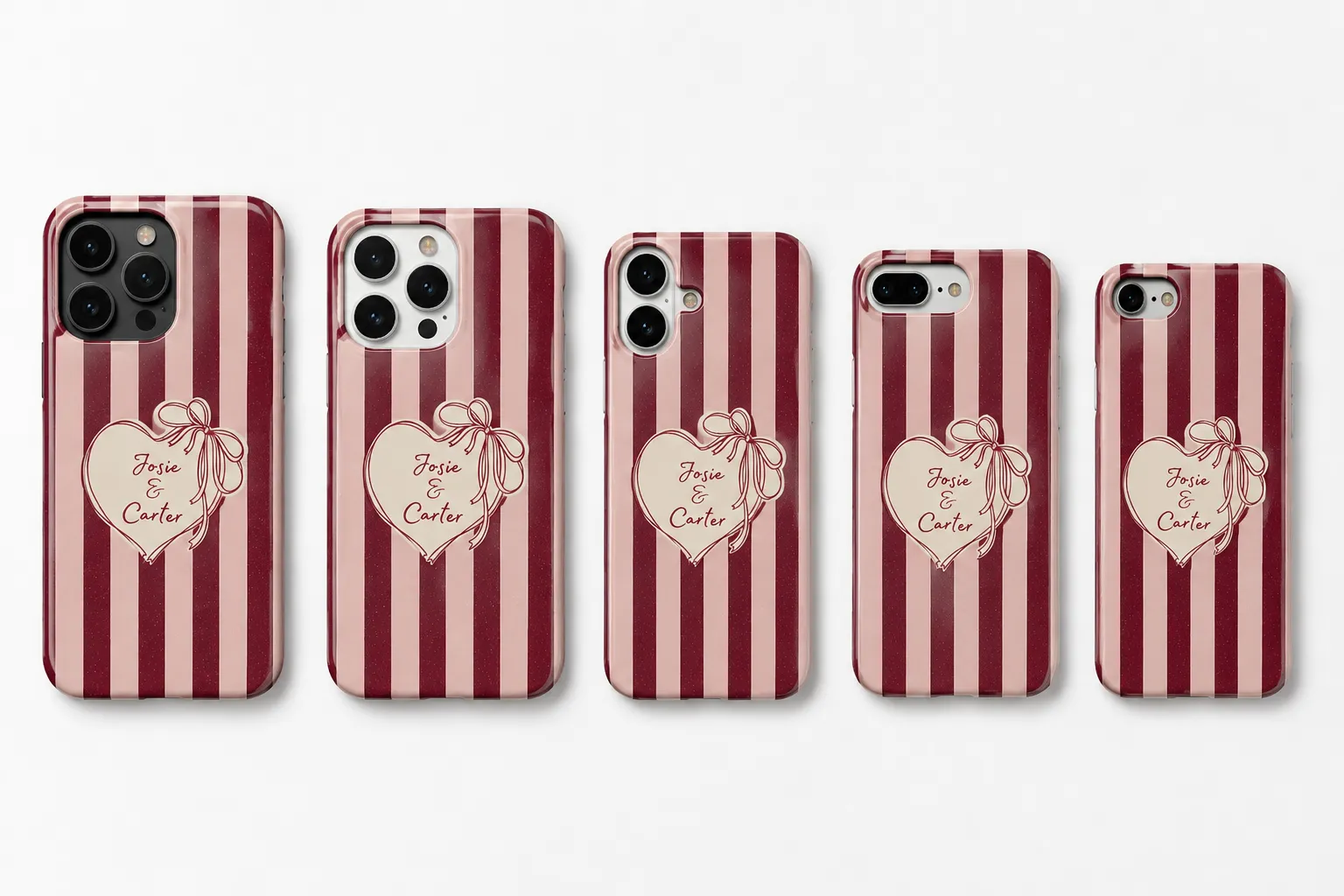
How to actually set up a phone case personalization stack
The order you set things up in matters more than most people expect, and it matters even more with phone cases because of the model-variation problem:
- Connect your fulfillment supplier first. Decide whether you're going with one POD provider or want the flexibility of several, and confirm which phone models and case materials they actually support before you build anything.
- Build model-specific templates with real constraints. Set the printable area, safe zones around the camera cutout and buttons, for each model you're selling, not one generic template stretched across all of them.
- Test the preview on mobile, not just desktop. Upload a photo, try a busy full-bleed design, and check it against a couple of different phone models, not just the one you tested first.
- Order real samples across a few models. Don't trust the mockup alone, get physical cases for at least a couple of your top-selling models and check cutout alignment, print quality, and fit before you go live.
- Only then add the supporting layer: case material options, bundling with accessories, better product photography, whatever fits your store. Model accuracy and the fulfillment connection are the two things that actually need to be right from day one.
Whichever app you land on, don't skip testing across at least two or three different phone models before launch: upload a real photo, try a full-bleed design, and check that it renders correctly around the camera cutout on each one, not just the model you happened to test first.
FAQ: Personalized Phone Case Apps for Shopify
What's the difference between a "product customizer" and a POD platform like Printify?
A product customizer (Customily, Zakeke, Kickflip, Zepto, Inkybay) is the front-end tool your customer uses to personalize the case, the live preview, text fields, photo upload, and so on. A POD platform like Printify, Printful, or Gelato is the supplier that actually prints and ships the case. Most stores need both: a customizer to capture and preview the personalization for the right model, and a POD connection to fulfill it. Some customizer apps (like Customily) integrate directly with multiple POD suppliers so you don't have to manage that connection separately.
Why does the phone model matter so much for a customizer app, specifically?
Because case shape, camera cutout position, and button placement all differ by model, sometimes even between two versions of the same phone. A customizer that doesn't account for this will either force customers into a one-size-fits-all template that doesn't fit every device correctly, or push the burden of getting it right onto your team, model by model, order by order. Apps with model-specific templates catch this automatically.
Do I need a live preview, or can I just use Shopify's built-in product options?
Shopify's native product options can collect a name or a short text field, but they won't show the customer how the finished case will actually look on their specific phone model. For a product where cutout alignment genuinely affects usability, that gap matters, buyers hesitate (and abandon carts) when they can't see how their design will sit around the camera and buttons. A live preview closes that gap and tends to convert noticeably better.
Can I sell personalized phone cases without a POD supplier, printing them myself?
Yes, that's exactly the use case Inkybay is built for, with vector file export designed for in-house or local print production rather than an automated POD network. If you're not printing yourself, apps like Customily or Printify's native tool that connect directly to POD suppliers will save you a lot of manual order handling and model-matching.
Can I run the same personalizer app across Shopify, Etsy, and WooCommerce?
It depends on the app. Some are Shopify-only (Zepto, for example), while others like Customily support Shopify, Etsy, and WooCommerce under one setup, which is worth prioritizing if you're not exclusively on one sales channel.