Table of Contents
Personalize your Shopify products
Install for freeEvery October, Etsy search traffic for ornaments starts climbing, and it doesn't let up until the week before Christmas. If you sell personalized ornaments - names, dates, photos, "Baby's First Christmas" designs - that's either your best six weeks of the year or the six weeks you spend drowning in manual proofs and back-and-forth messages with buyers who typo'd their kid's name.
The difference usually comes down to one thing: whether you're using a real personalization tool, or whether you're personalizing ornaments by hand in Photoshop between order notifications.
This isn't a "top 10 apps" list padded out with tools nobody's heard of. It's a breakdown of what actually matters when you're choosing a personalization tool for an Etsy ornament shop, and which tools handle it well.
What selling personalized ornaments on Etsy actually requires
Etsy doesn't have a native product personalizer that's good enough for most sellers past a certain order volume. The built-in "personalization" field is just a text box: no live preview, no image upload, no way to stop a buyer from typing 40 characters into a field that fits 12.
So sellers bolt on a third-party app. The good ones handle:
- A clear preview or confirmation step: Somewhere in the process, the buyer needs to see exactly what they're getting rendered on the actual ornament shape, whether that happens before checkout or right after placing the order. Either way, this is what cuts return requests and "that's not what I ordered" messages.
- Print-ready file generation: The tool needs to spit out a file your printer or fulfillment partner can actually use, not just a screenshot.
- Etsy-specific integration: Personalization data has to flow from the Etsy listing into your production queue without you manually re-typing every order during your busiest month.
- Fulfillment speed: Ornaments are seasonal and time-sensitive. A tool that's slow to generate files in November is a tool that costs you Christmas-deadline orders.
Skip any of these and you're back to manual work at exactly the moment you can least afford it.
The best tools to sell personalized ornaments on Etsy
Here's the actual shortlist, based on what each tool is built for:
1. Customily
A personalization app built around capturing accurate personalization data and generating print-ready files automatically, with native support across Etsy, Shopify, WooCommerce, and Amazon. Rather than a pre-purchase live preview, Customily works one of two ways: personalization details are captured straight from Etsy's native personalization fields, or the buyer confirms their exact design through a live preview link sent after they place the order. For ornament sellers, the multi-marketplace piece matters if you're not exclusively on Etsy - you set up the ornament template once and it works everywhere you sell.
2. Customizer.pro
A personalization tool built specifically around Etsy order automation: it connects via Etsy's own API, auto-imports orders with their personalization details, generates a mockup, and sends the buyer a link to approve or edit the design themselves - all without live preview at the point of purchase. It's used by a number of wood and keepsake-focused Etsy shops, which makes it a reasonable fit for wooden or engraved ornament listings specifically, though it's narrower in scope than a full multi-marketplace personalization platform.
3. Printify
A print-on-demand supplier (not a personalization tool on its own) offering wooden, ceramic, aluminum, and pewter ornaments with direct Etsy integration and blind dropshipping. Printify handles production and fulfillment; you'd still pair it with a personalization front-end, or use its built-in mockup generator for simpler one-off customization. Printify also has its own native Etsy Live Preview feature for eligible products, letting Etsy buyers see a rendered mockup on the listing page itself before ordering - worth checking if your ornaments are already fulfilled through Printify.
4. Printful
Similar to Printify, a POD fulfillment partner with ornament products and Etsy integration, generally positioned toward slightly higher print quality at a higher price point. Also not a live-preview personalization tool by itself; best used as the fulfillment layer behind a separate customizer.
5. Canva (with POD mockup templates)
Not a personalization or fulfillment tool at all, but worth naming because a lot of ornament sellers still use Canva to hand-build mockups and templates. It works at very low volume, but there's no live customer-facing preview and no automated file generation, everything is manual, which is exactly the bottleneck this list is trying to help you avoid.
Personalization apps like Customily and Customizer.pro both solve the buyer-facing side of ordering - capturing the right details and turning them into an accurate production file - and both take the same general approach on timing: no live preview at checkout, with confirmation happening through a link after the order is placed. Where they differ is scope: Customily spans multiple marketplaces and product categories, while Customizer.pro is more narrowly built around Etsy sellers in wood and keepsake niches.
POD platforms like Printify and Printful solve what happens after that - production and shipping, with Printify additionally offering its own native pre-purchase preview for eligible listings. Most serious ornament shops end up running a personalization layer and a fulfillment partner together, rather than treating any single tool as the whole solution.
Etsy ornament business: build vs. buy
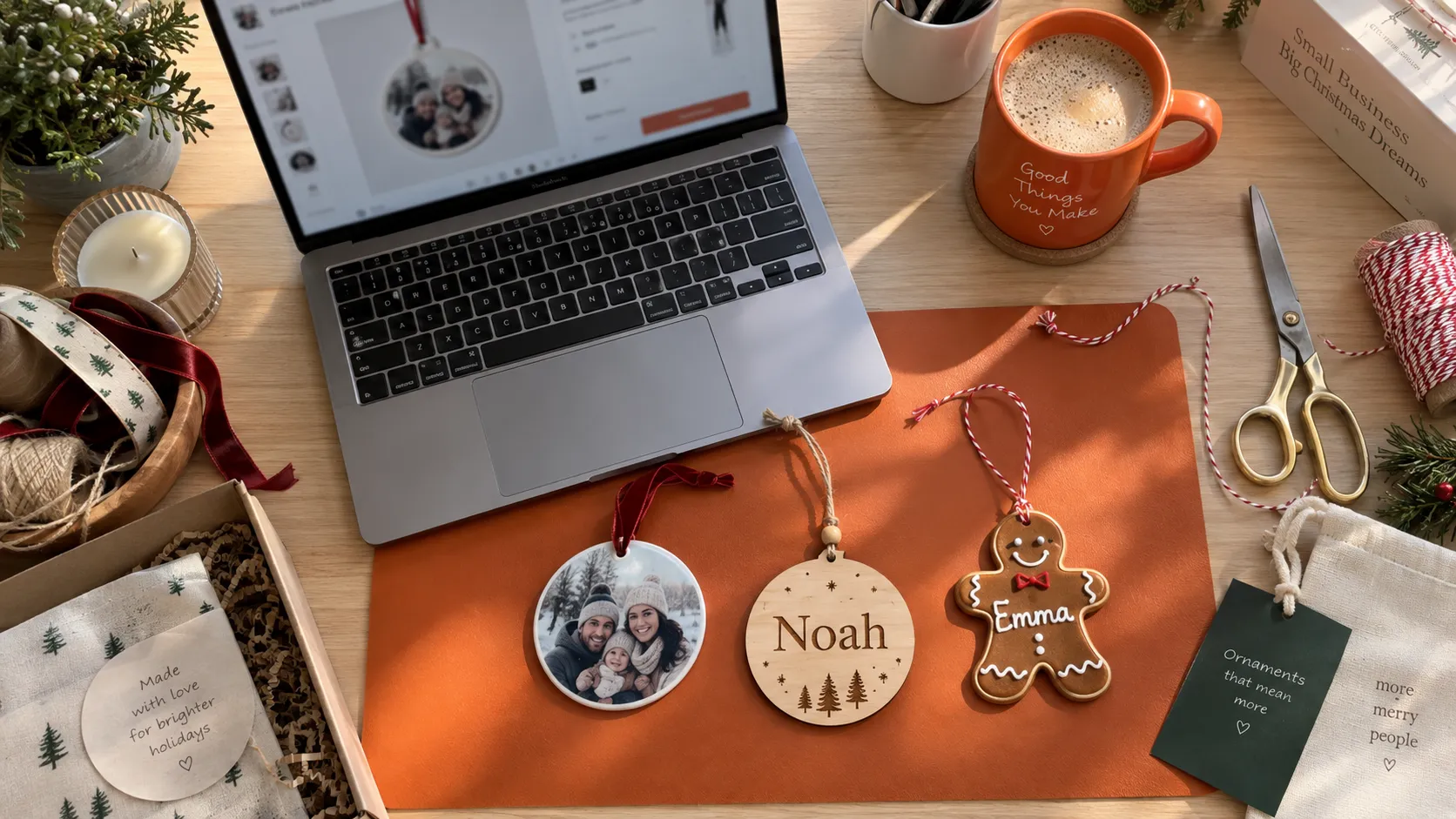
Some sellers try to handle personalization manually through Etsy messages: buyer sends their text, seller mocks it up, buyer approves, seller produces. This works at low volume. It falls apart around 15-20 personalized orders a day, which for a decent ornament shop in Q4 is a normal Tuesday.
At that point, an Etsy ornament business needs a custom ornament personalization tool that automates the mockup-to-production pipeline, not just a nicer-looking listing.
What to look for in a print on demand ornaments tool
If you're fulfilling through a POD partner rather than printing in-house, your personalization tool and your POD network need to actually talk to each other. A few things worth checking before you commit:
- Ornament-specific templates: Round, oval, and shaped ornaments each need different bleed areas and safe zones. A generic personalization tool built for t-shirts will handle this poorly.
- Photo upload handling: If you sell photo ornaments, the tool needs cropping, positioning, and basic image guardrails (rejecting low-resolution uploads before they become a blurry, returned ornament).
- Multi-marketplace support: If you also sell on Shopify or Amazon alongside Etsy, look for a tool that works across all of them so you're not managing three separate personalization systems during your busiest season.
Customily is built around exactly this: ornament-shaped templates, photo and text personalization captured either through Etsy's native personalization fields or a post-purchase confirmation link, and integration across Etsy, Shopify, Amazon, and WooCommerce, so an ornament listing doesn't need to be rebuilt separately for each channel.
Etsy holiday shop ideas that depend on getting this right
A few ornament formats that consistently do well on Etsy, and where personalization tooling makes or breaks the execution:
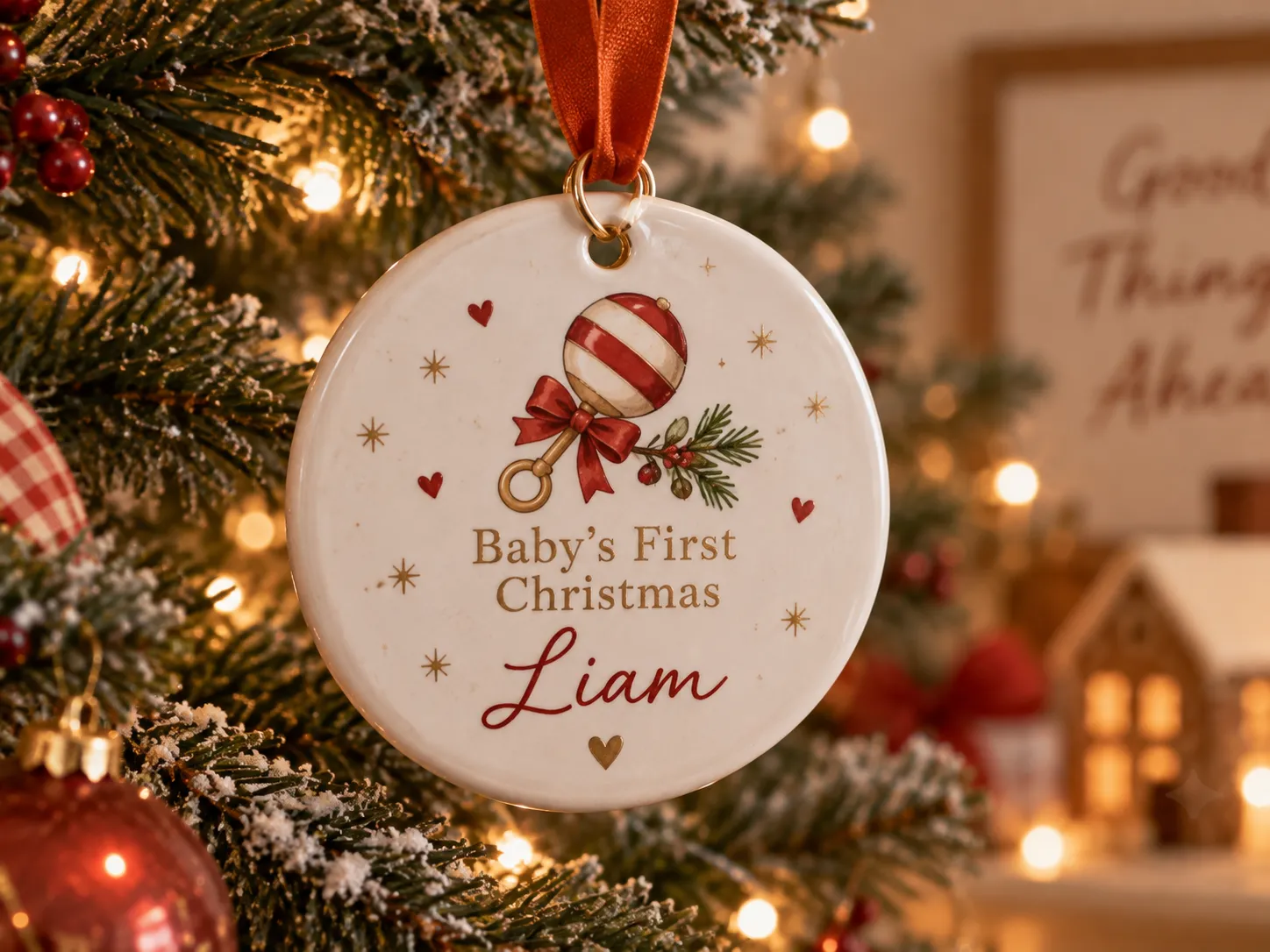
- "Baby's First Christmas" ornaments: High emotional purchase, low tolerance for errors. Buyers want to see the exact name and date rendered before buying.
- Family/pet photo ornaments: Needs solid photo upload and cropping, since buyers will submit photos in every aspect ratio imaginable.
- Custom couple/wedding ornaments: Often ordered as gifts, so live preview matters even more; the buyer isn't the one who'll notice a mistake until it's too late.
Each of these is a strong seasonal seller, but each one also multiplies your manual workload if your personalization tool can't handle live preview and clean file output on its own.
What's actually trending in ornaments on Etsy right now
Beyond the evergreen formats above, a few design directions are showing up repeatedly in what's selling on Etsy this year - worth considering if you're deciding what to add to a shop before the season ramps up:
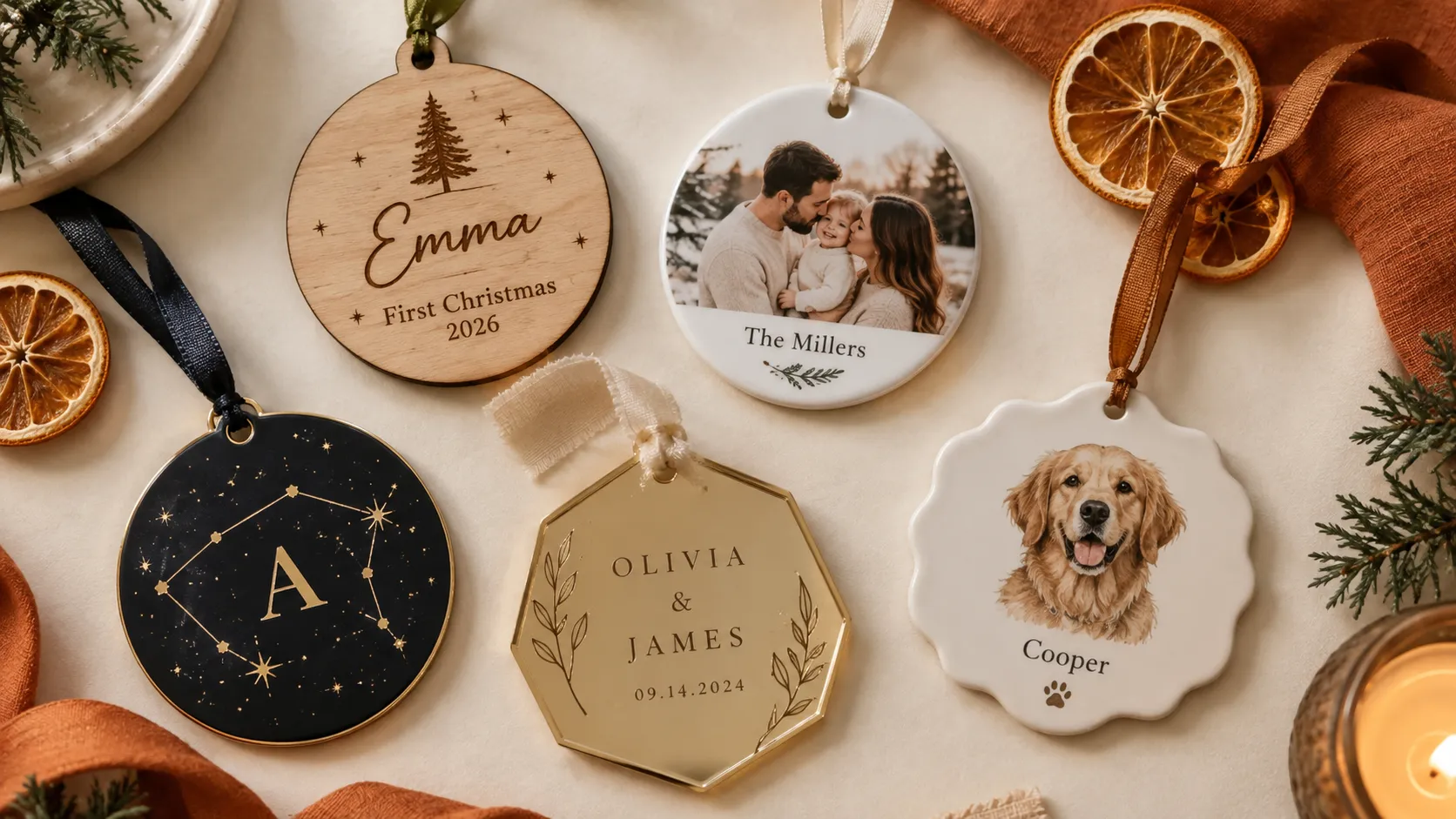
- Personalized couple/engagement ornaments: Layered acrylic designs marking a proposal or "first Christmas engaged," usually with both names and a date. High emotional value, strong gifting appeal.
- Year-in-review / annual keepsake ornaments: A running category that resets every year ("2026 Year in Review," "2026 Notable Events"), often combined with a family name or a specific milestone from that year.
- Gingerbread-style name ornaments: A custom kids'-name tag shaped like a gingerbread figure, popular for stockings and as a lower-price add-on alongside a bigger ornament purchase.
- Custom last-name wedding ornaments: Aimed at newlyweds, typically combining a last name with the wedding year.
- Celestial and "Gothmas" ornaments: Darker, jewel-toned, and celestial-themed designs that work from October straight through January, appealing to buyers who want something less traditionally red-and-green.
- Nutcracker and ballet-themed ornaments: Part of a broader "Nutcrackercore" aesthetic showing up across ornaments, wall art, and party supplies this year.
- Frosted/icy or metallic-finish ornaments: Designs styled to look like frozen crystal or frost, often paired with silvery or mixed-metal finishes.
- Fandom and hobby ornaments: Sport-specific designs (soccer, football) or pet-themed pieces personalized with a name, useful for capturing gift searches outside the standard family-ornament category.
None of these require different tooling from what's already covered above - the same live-preview, photo-upload, and print-ready file requirements apply whether the design is a gingerbread name tag or a celestial acrylic disc. The design trend changes; the personalization mechanics underneath it don't.
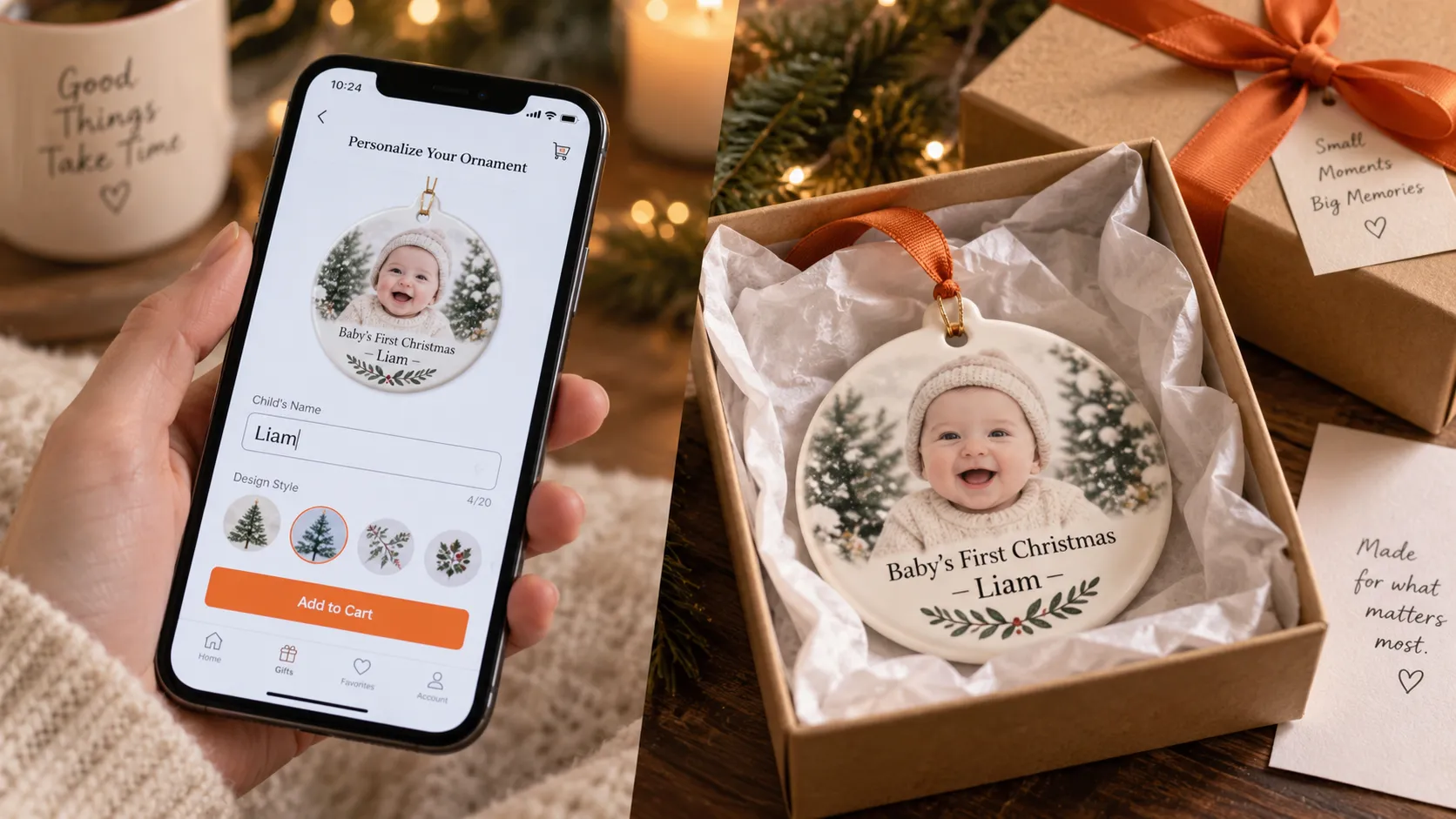
How Customily actually handles personalization on Etsy
There isn't just one way to run personalized ornaments through Customily, it depends on whether the buyer enters their details at checkout or confirms them afterward.
- Etsy personalization mode: The buyer fills in their personalization details (name, date, text) directly on the Etsy listing, the same way Etsy's native personalization field works today. Customily captures that data from the order and generates the print-ready file automatically. There's no live preview involved, so this mode works best for simpler ornaments where the buyer already knows exactly what they're ordering: a name and a date, for example.
- Post-purchase live preview: The buyer places the order first, based on the listing photos and description. After checkout, they receive a personalization link where they can try out different names, fonts, or photo placements and see exactly how the design will look on the ornament shape before finalizing it. That confirmed version is what gets sent to production, so the merchant knows precisely what to print, without guessing from an order note or a follow-up message.
Which one makes sense depends on the product: a simple name-and-date ornament might not need a preview step at all, while a photo ornament or a more design-heavy piece benefits from giving the buyer a chance to fine-tune and confirm the design after ordering, rather than relying on a plain text field alone.
Getting ready for the next rush
Ornament personalization isn't complicated - a name, a date, a photo - but it's easy to underestimate how much that simplicity depends on the tooling behind it. The shops that handle Q4 well aren't necessarily the ones with the flashiest designs; they're the ones where a buyer's order becomes a print-ready file without a single manual step in between.
Whether that means pulling personalization straight from Etsy's own fields for simpler designs, or sending buyers a confirmation link after checkout for anything more detailed, the goal is the same: know exactly what to print, every time, without guessing. Set that up before the season gets busy, not during it; Customily's automations and multi-marketplace support are built to make that setup straightforward, whether you're on Etsy alone or selling across several channels.
Frequently Asked Questions
Can you personalize ornaments on Etsy automatically?
Not with Etsy's native tools alone. Etsy's built-in personalization field is a plain text box with no live preview or file generation. Automated personalization - live preview, print-ready files, order-data sync - requires a third-party app connected to your shop.
What's the best way to handle photo ornaments at scale?
Use a tool with built-in photo upload, cropping, and basic quality checks (flagging low-resolution images before checkout) rather than collecting photos manually through Etsy messages.
Do personalization tools work across Etsy, Shopify, and other platforms?
Some do. If you sell on more than one marketplace, look for a tool like Customily that supports Etsy, Shopify, WooCommerce, and Amazon from one setup, rather than managing separate systems per channel.
How much lead time do Etsy ornament sellers need before the holidays?
Most sellers start seeing search volume climb in early-to-mid October, with the heaviest order concentration in the final three weeks before Christmas. Getting a personalization tool set up and tested before that window opens matters more than picking the "perfect" tool mid-rush.