Table of Contents
Personalize your Shopify products
Install for freeFebruary brought new creative possibilities to Customily. This month, we introduced Custom Map Styles, giving merchants more ways to design location-based products with unique visual looks, and Text Shadows, a powerful new styling option that makes personalized text stand out with depth and contrast. These updates open the door to more expressive designs and help merchants create products that immediately catch shoppers’ attention.
Let’s dive into what’s new! 🚀
Custom Map Styles 🌍
You can now bring your own Mapbox styles into Customily and offer a selection of your own custom map styles to your shoppers.
What’s new? Store owners can add custom Mapbox styles directly to their designs. This means more control over how maps look.
We’re excited to see the map designs you create with this update. As always, feedback is welcome!
Text Shadows are here! ✨
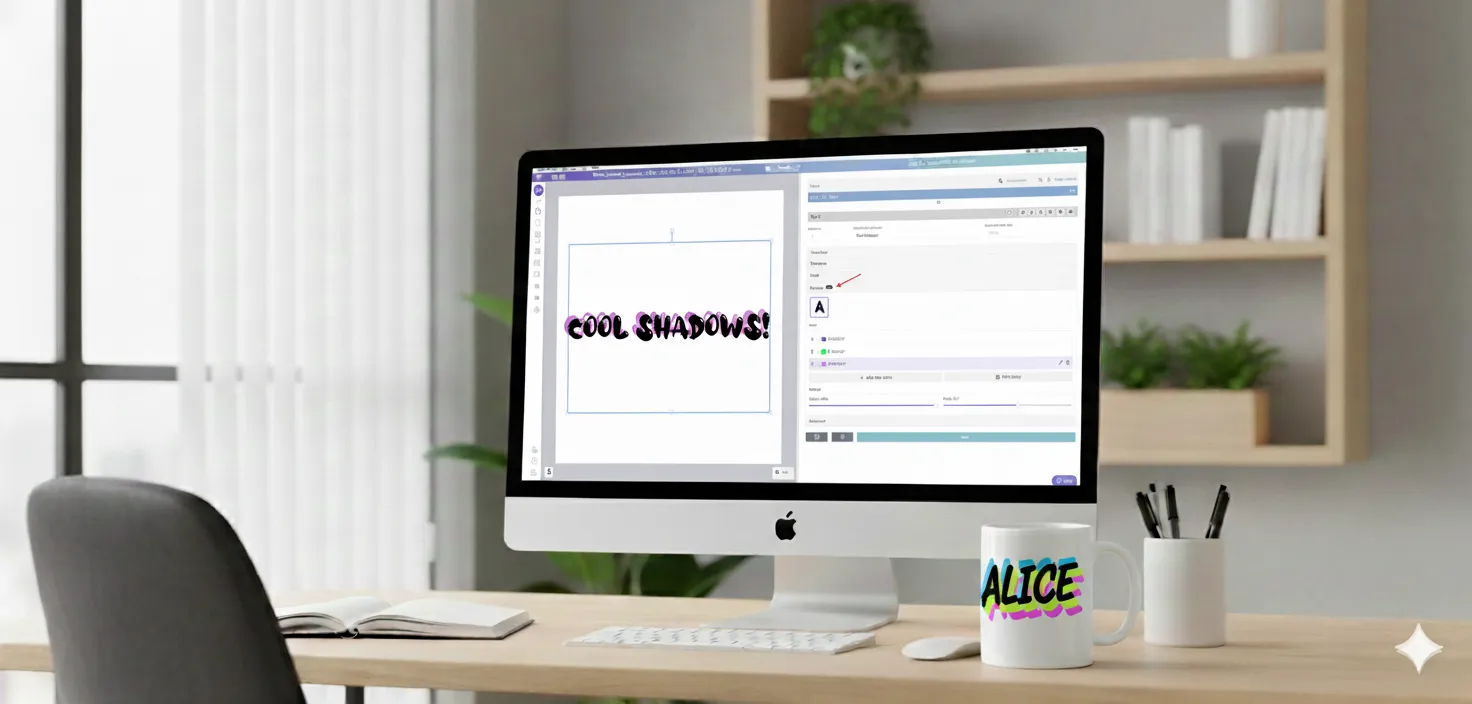
We’ve just launched the first version of Text Shadows for text box elements, giving your personalized text a whole new level of depth and style.
What’s new? You can now add text shadows to text box elements and control how they look directly from the Design Studio.
This lets you offer more expressive text styles while keeping easy to customize for your shoppers.
Can’t wait to see what you build with it ✨
👉🏻 Learn how to add Text Shadows here!
New: Dividers for Option Sets! 💫
We’ve just added Dividers to help you keep large option sets clean and easy to read. They let you visually divide options so shoppers can understand your templates at a glance.
What are dividers?
- Simple lines that can be placed between options to visually divide them, making them easier to organize for larger templates.
- They include a Label and the actual dividing line.
With Dividers, organizing complex templates is now simpler and more flexible, giving you cleaner layouts and a smoother experience for your shoppers.
👉🏻 Learn how to use them here!
Need Help?
Our team is always here for you. If you have any questions or want to see these features in action, just reach us at support@customily.com.
Try all our new features now inside Customily Studio and let us know what you think 🤩
Happy customizing! ⭐