Table of Contents
Personalize your Shopify products
Install for freeEvery personalized product seller has run into the same problem: your customer types their text one way, and you need it to look a completely different way. A name needs a period after every letter to read as a monogram. A list of names needs a heart between each one to read as a family design. Until now, that meant extra manual work on every single order. Customily just closed that gap.
Customily's Design Studio now includes two new fixed text options: Between Characters and Between Words. These fields automatically insert letters, symbols, or words for you, but this time they go inside what your shopper types, not just before or after it.
What is Fixed Texts Between Characters & Between Words?
Most personalization tools let you add something before or after a customer's input. A prefix, a suffix, done.
But what happens when the formatting needs to happen inside the text itself? Think of a monogram that needs periods between each letter, or a family name design that needs a heart between every name. Until now, that meant asking customers to type it exactly right themselves, or manually recreating dozens of design variations.
Fixed Texts Between Characters and Between Words solves this at the source. Your shopper types their words naturally. Design Studio does the formatting automatically.
Examples:
- Between Characters: Shopper enters ANGEL, you set the fixed character to ., and the result is A.N.G.E.L.
- Between Words: Shopper enters Angel Joshua Peter Richard, you set the fixed text to ♥, and the result is Angel ♥ Joshua ♥ Peter ♥ Richard.
You'll find both fields under Advanced on every text element in Design Studio, including Curved Text and Warped Text.
Why this type of personalization works
- Removes friction for your customer: They type what feels natural to them. The formatting happens automatically, behind the scenes.
- Makes simple text look designed: A row of names suddenly reads like a finished layout, not a placeholder.
- Works across your whole catalog: Monograms, family pieces, matching sets, and typography-driven products all benefit from the same two fields.
Product ideas you can create with this new feature
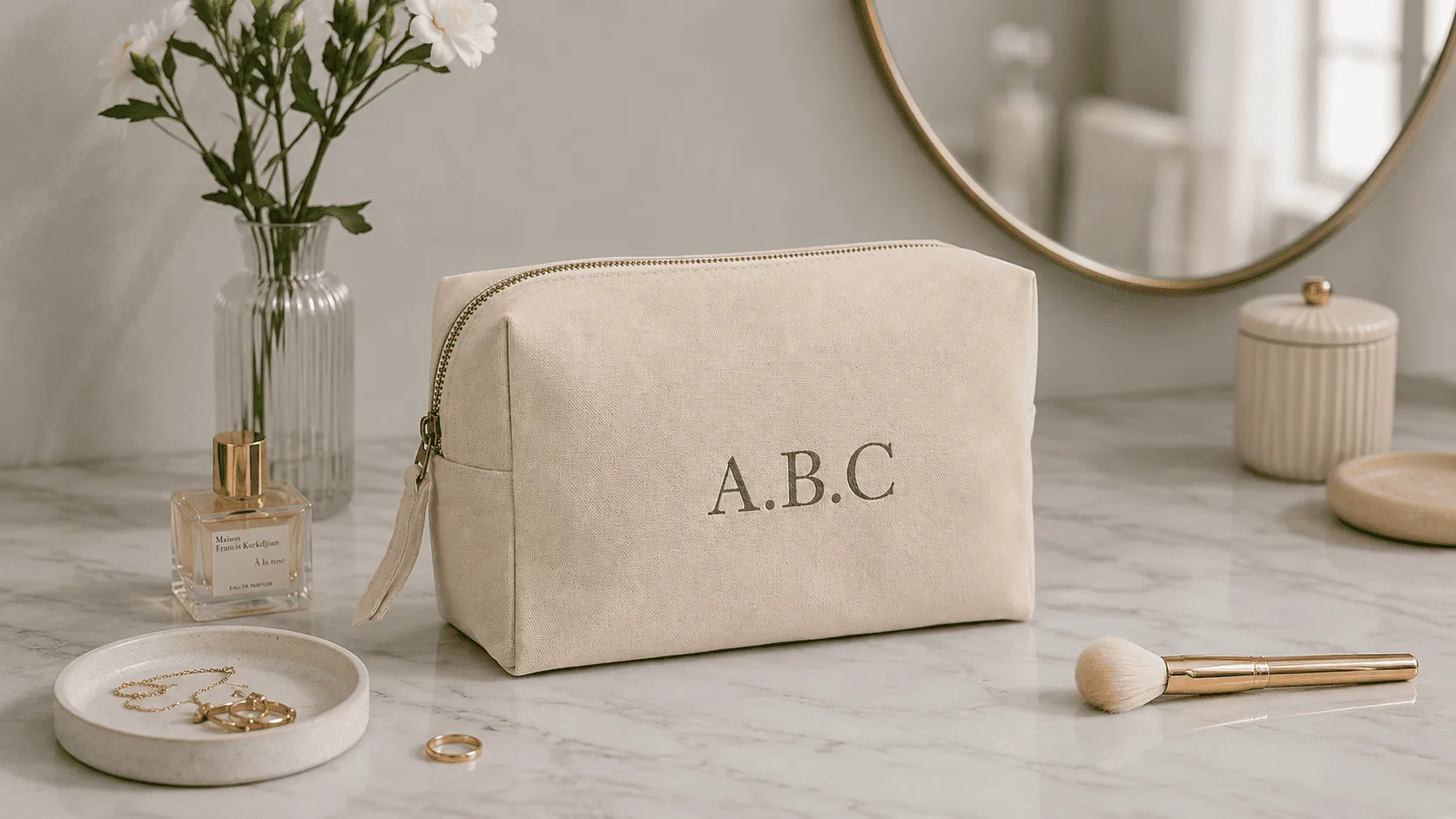
🔠 1. Classic monogram products
Turn initials into a proper monogram, automatically.
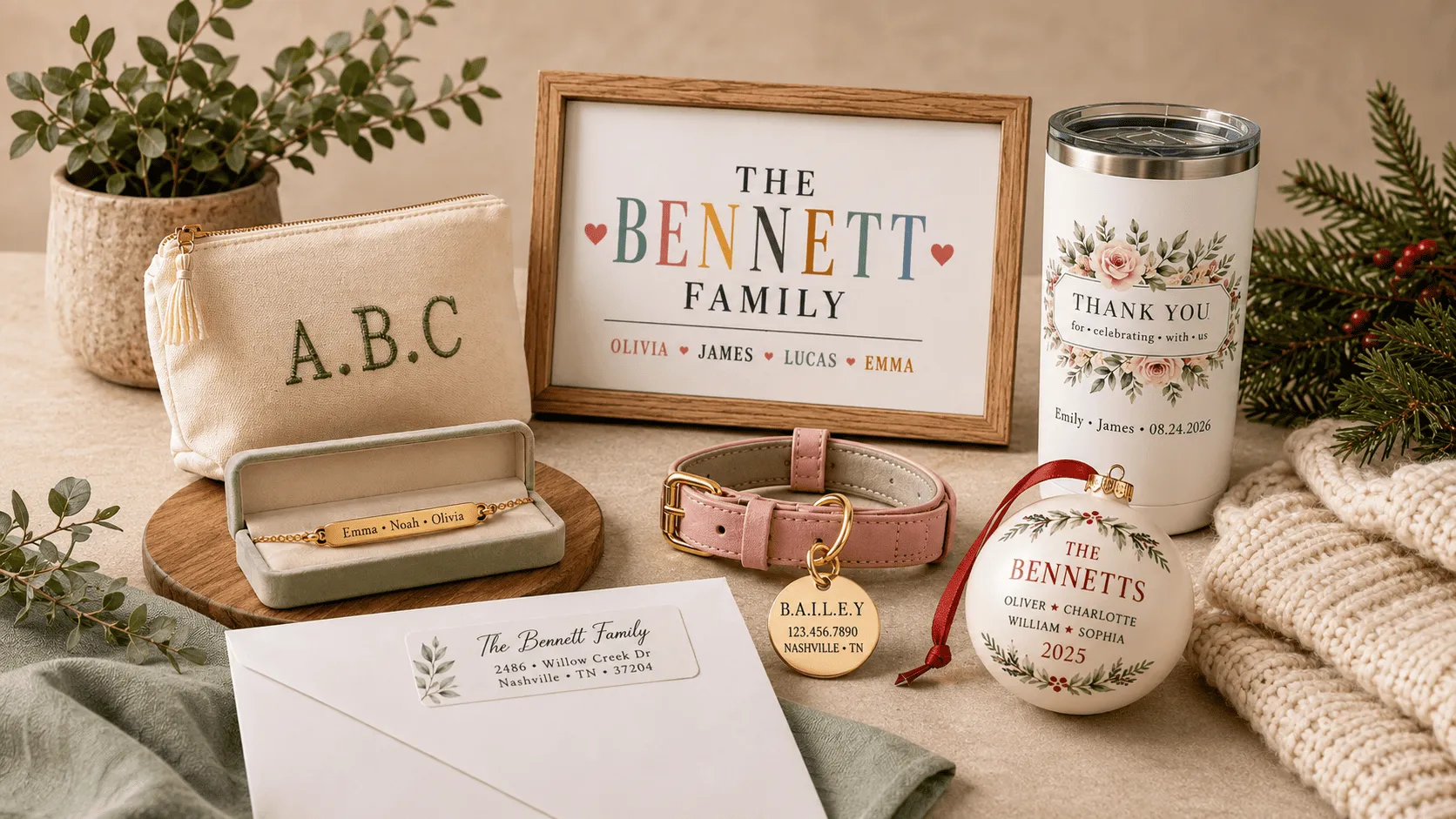
With Between Characters set to a period or a small dot, a customer's initials go from a plain string of letters to a design that reads as intentional. No manual spacing, no extra design step on your side.
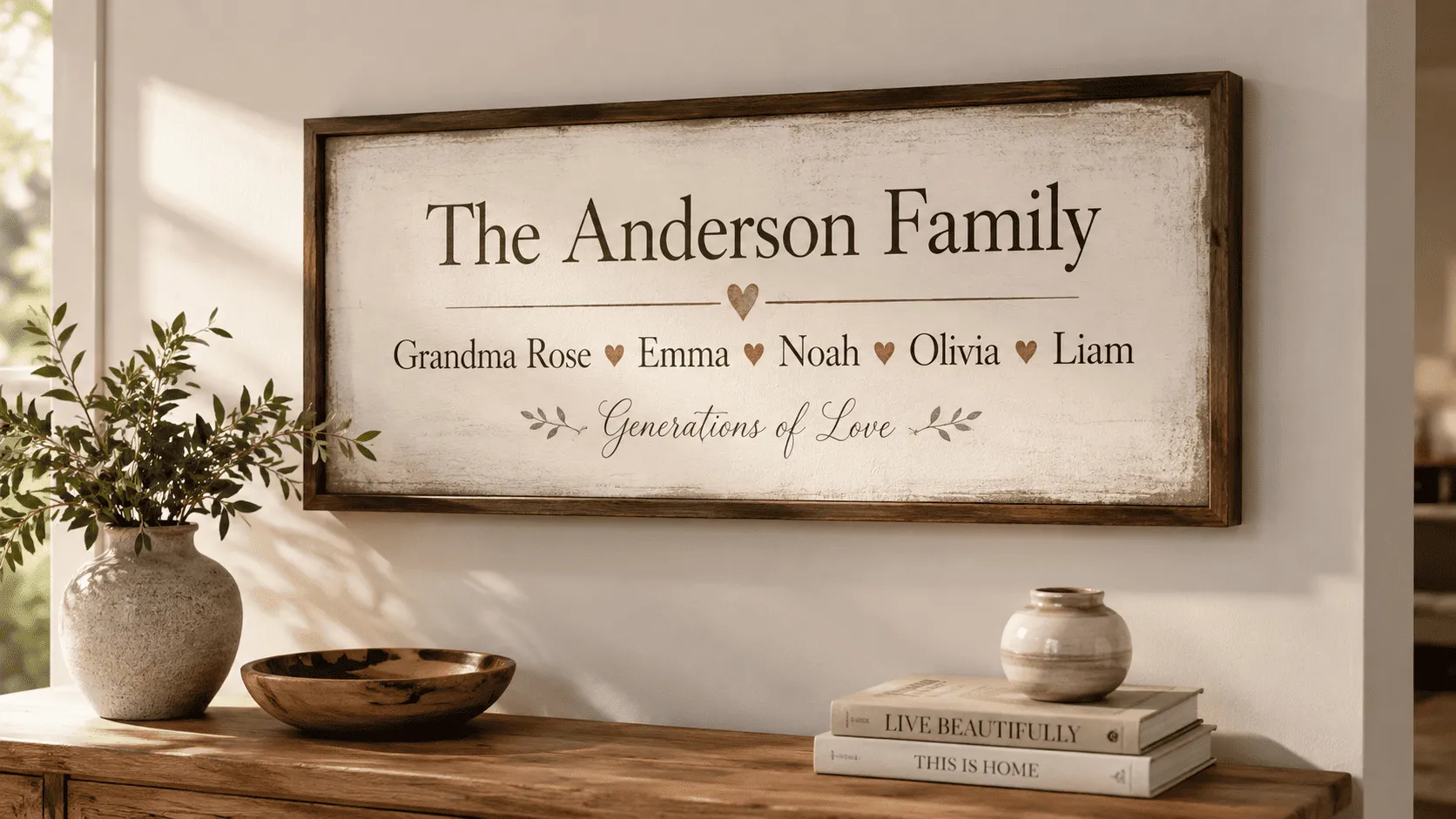
❤️ 2. Family name and generation pieces
Let customers list every name that matters, connected the right way.
With Between Words set to a heart, a star, or an ampersand, a list of family members turns into a cohesive design instead of a run-on line of text. This is a strong fit for wall art, ornaments, and jewelry where the names are the design.
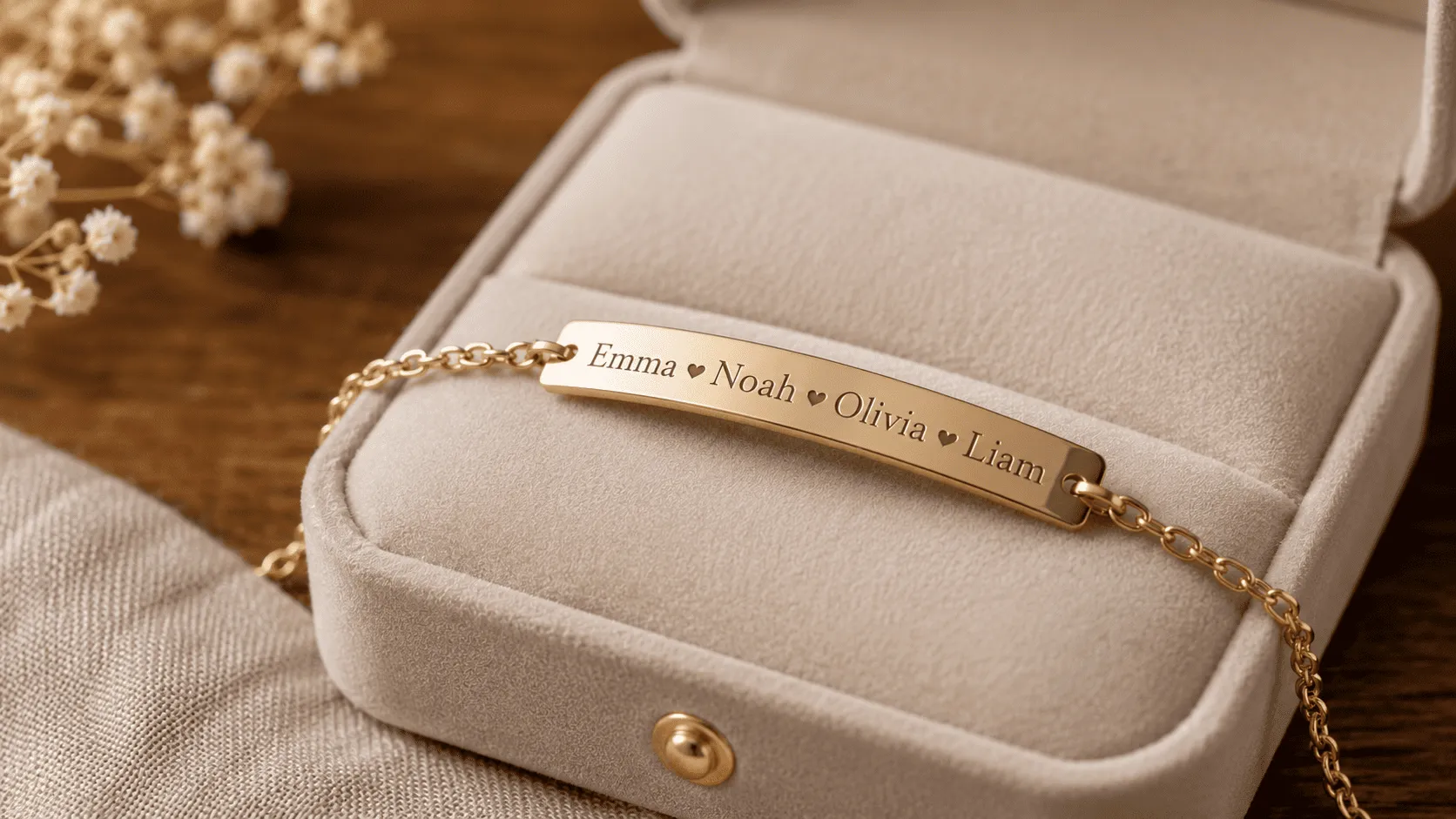
💍 3. Engraved jewelry with a separator
Rings, bracelets, and necklaces often need a clean symbol between words or names to avoid a cramped, run-together look.
Between Words lets you set that separator once, so every order comes out evenly spaced and legible, no matter what the customer types.
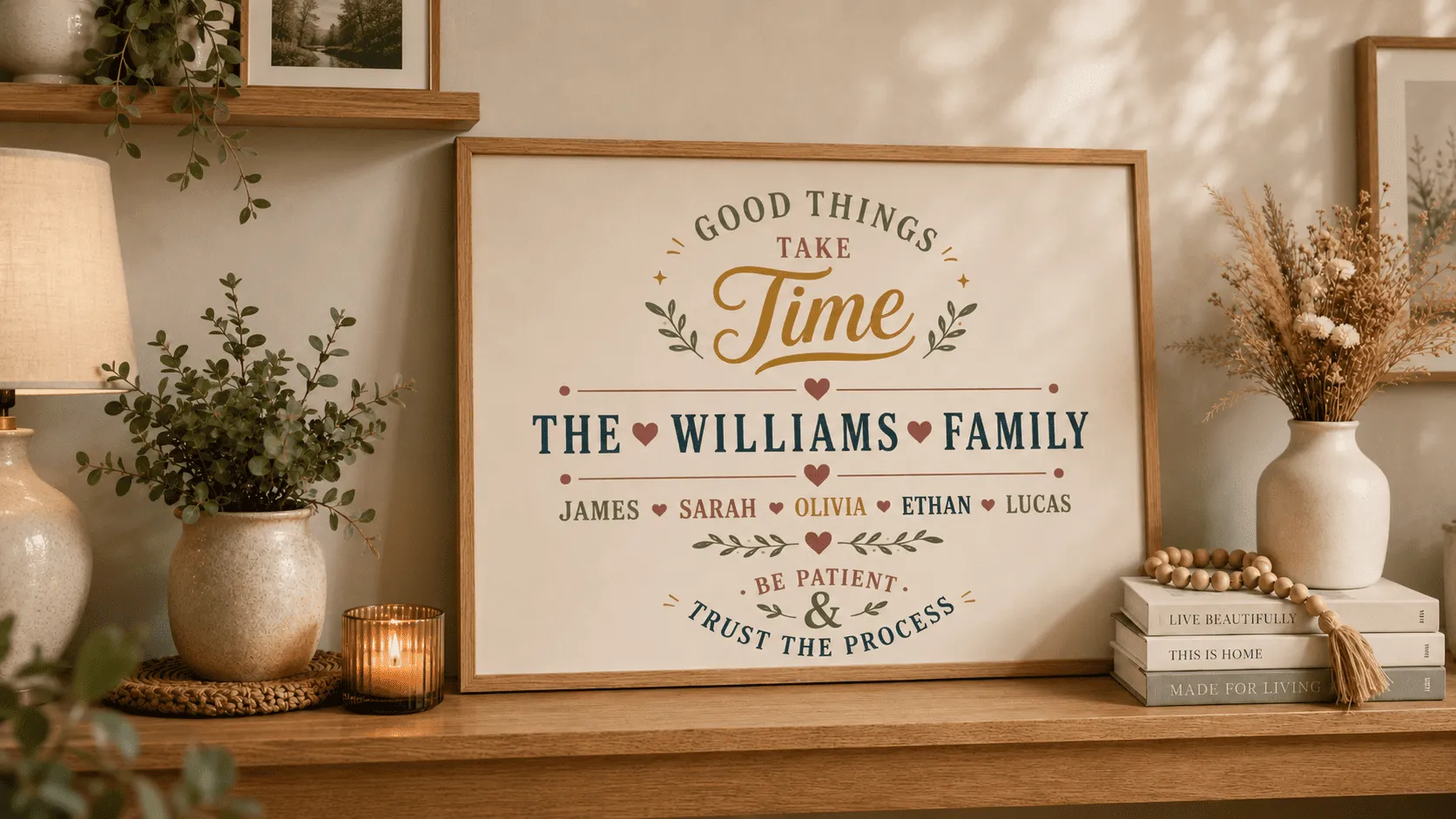
🅰️ 4. Typography-first products
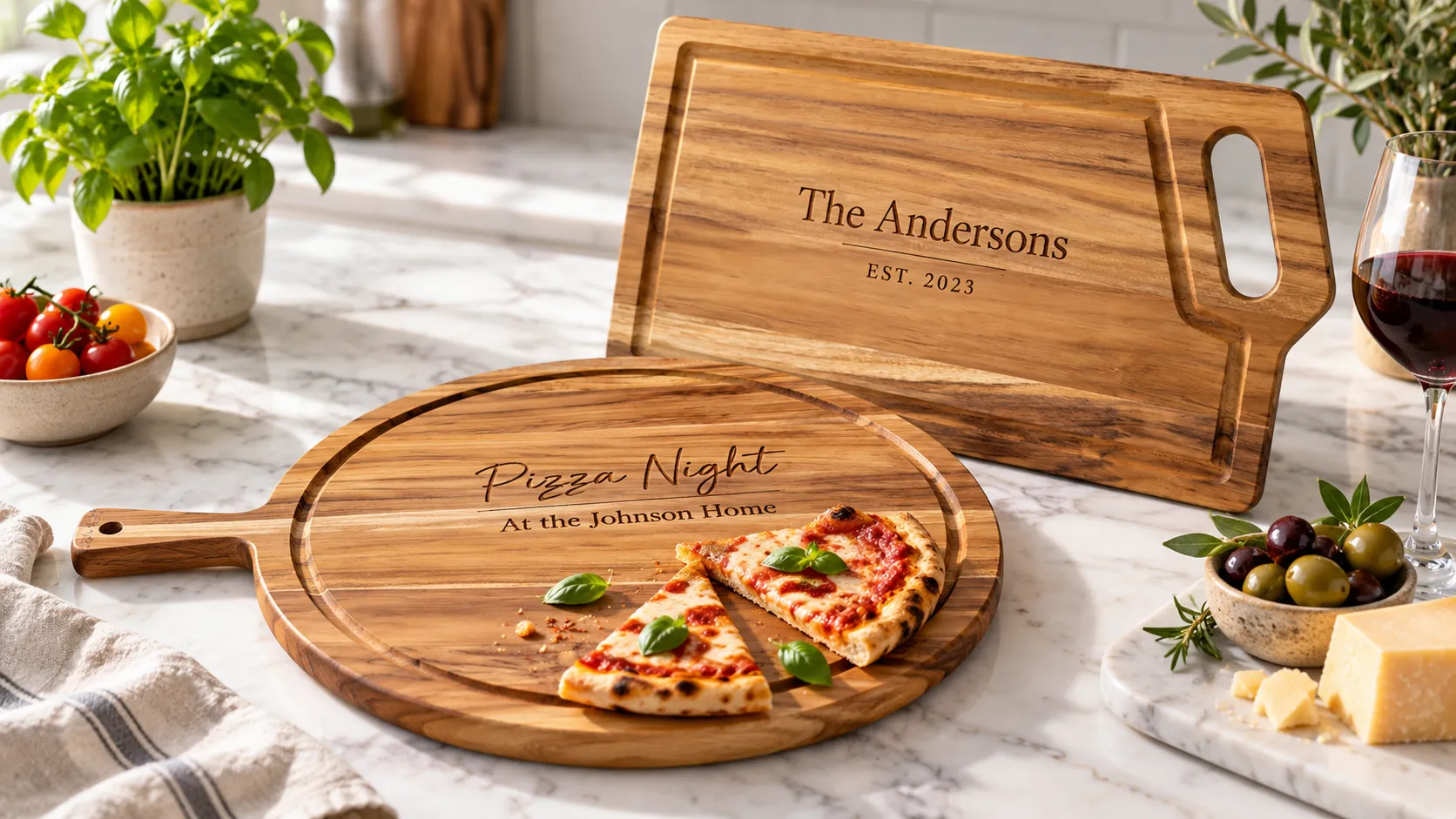
For posters, canvases, and decor pieces where the text itself is the design, small formatting details are what make it look finished rather than generic.
Combined with Curved Text or Warped Text, Between Characters and Between Words give you another layer of control to make plain input look custom-designed.
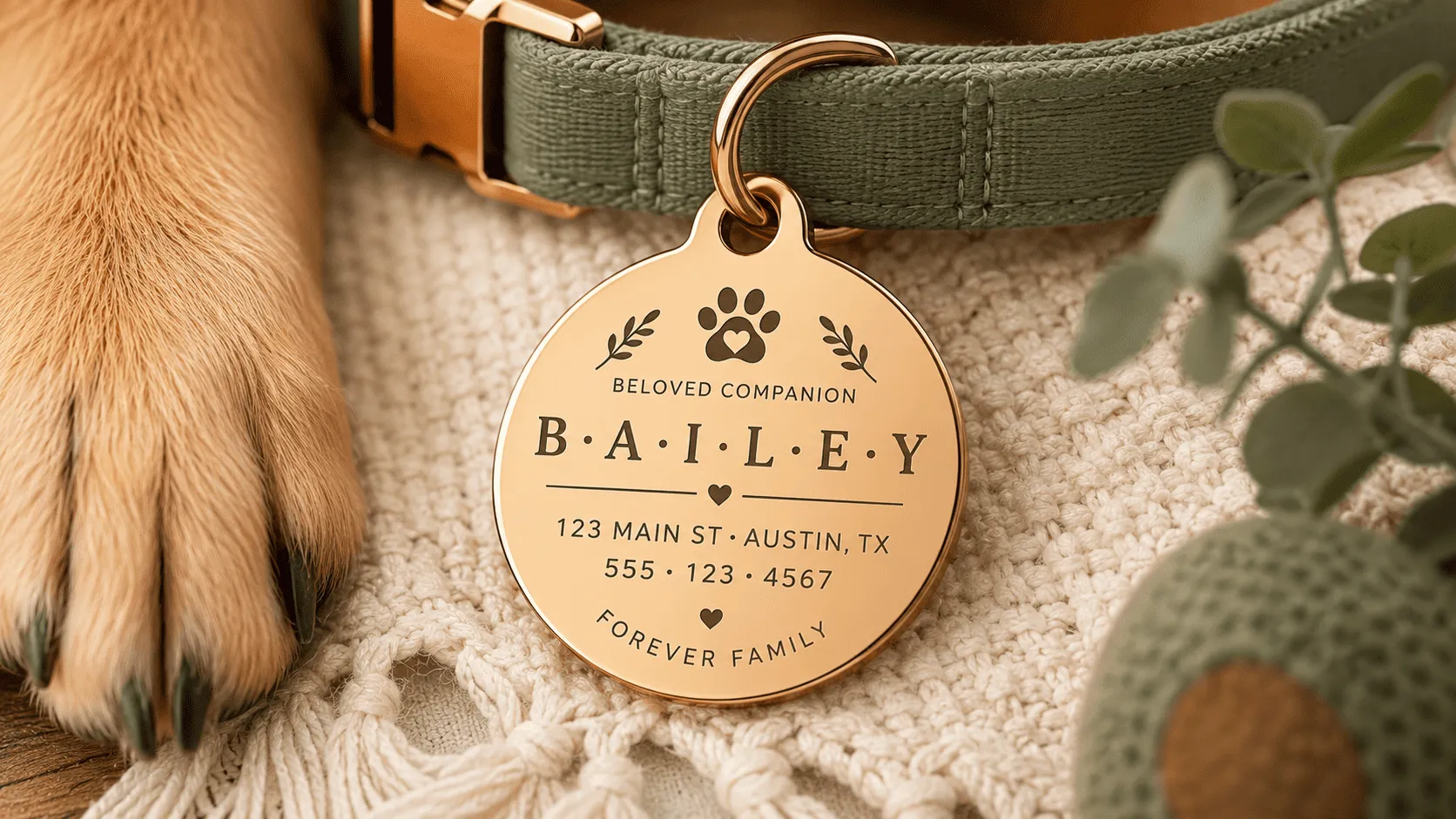
🐾 5. Pet name and pet ID products
Collars, tags, and pet portraits often list a pet's name alongside a house number, phone number, or a second pet's name.
Between Words lets you drop in a dot, a paw symbol, or a dash between each piece of information, so tags stay legible and on-brand no matter what the customer enters.
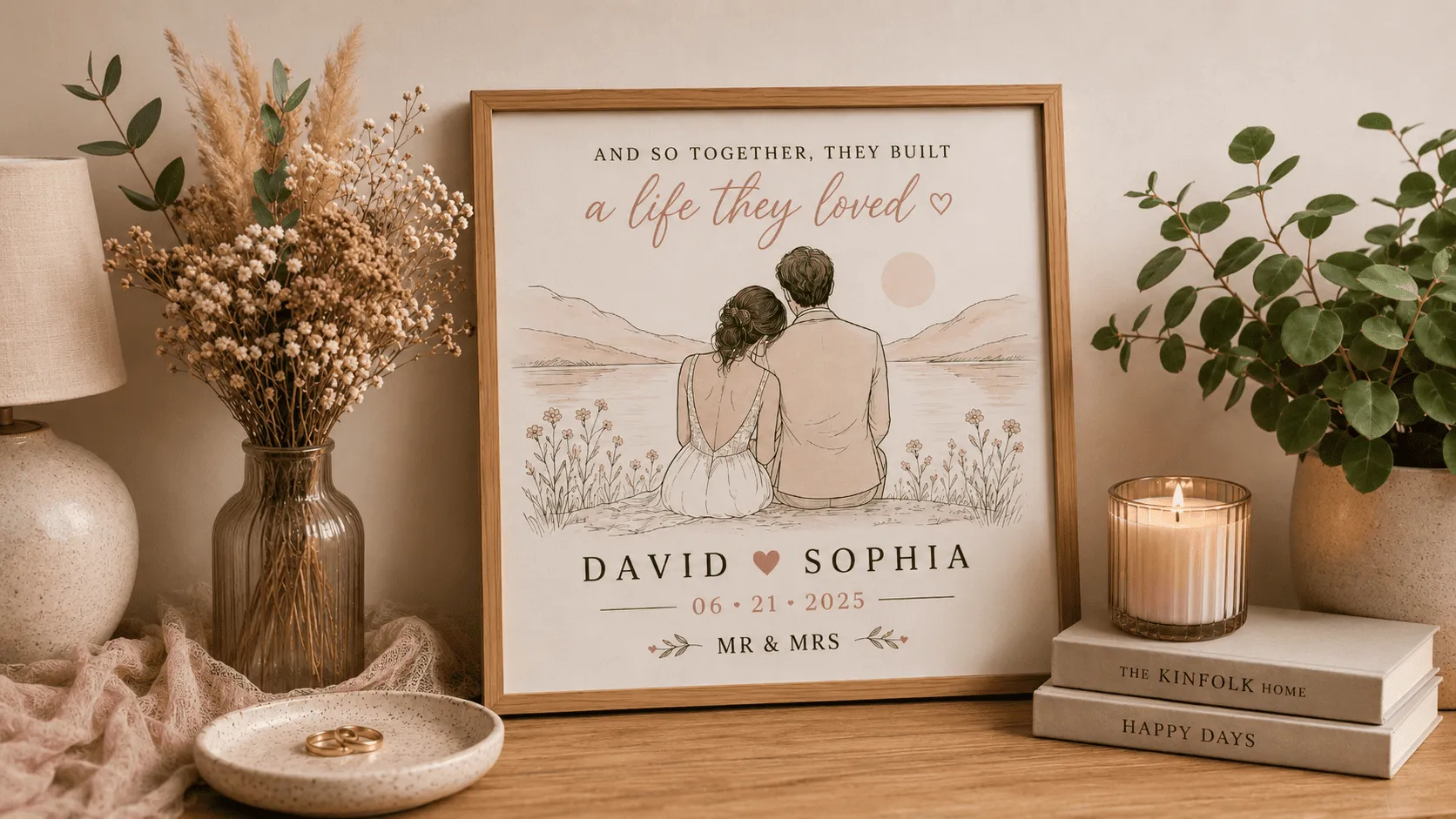
💑 6. Couple and wedding keepsakes
Wedding dates, initials, and "Mr & Mrs" style pieces almost always need a connecting symbol, an ampersand, a heart, or a small dash between the two names or dates.
Set it once with Between Words, and every couple's order comes out formatted the same clean way.
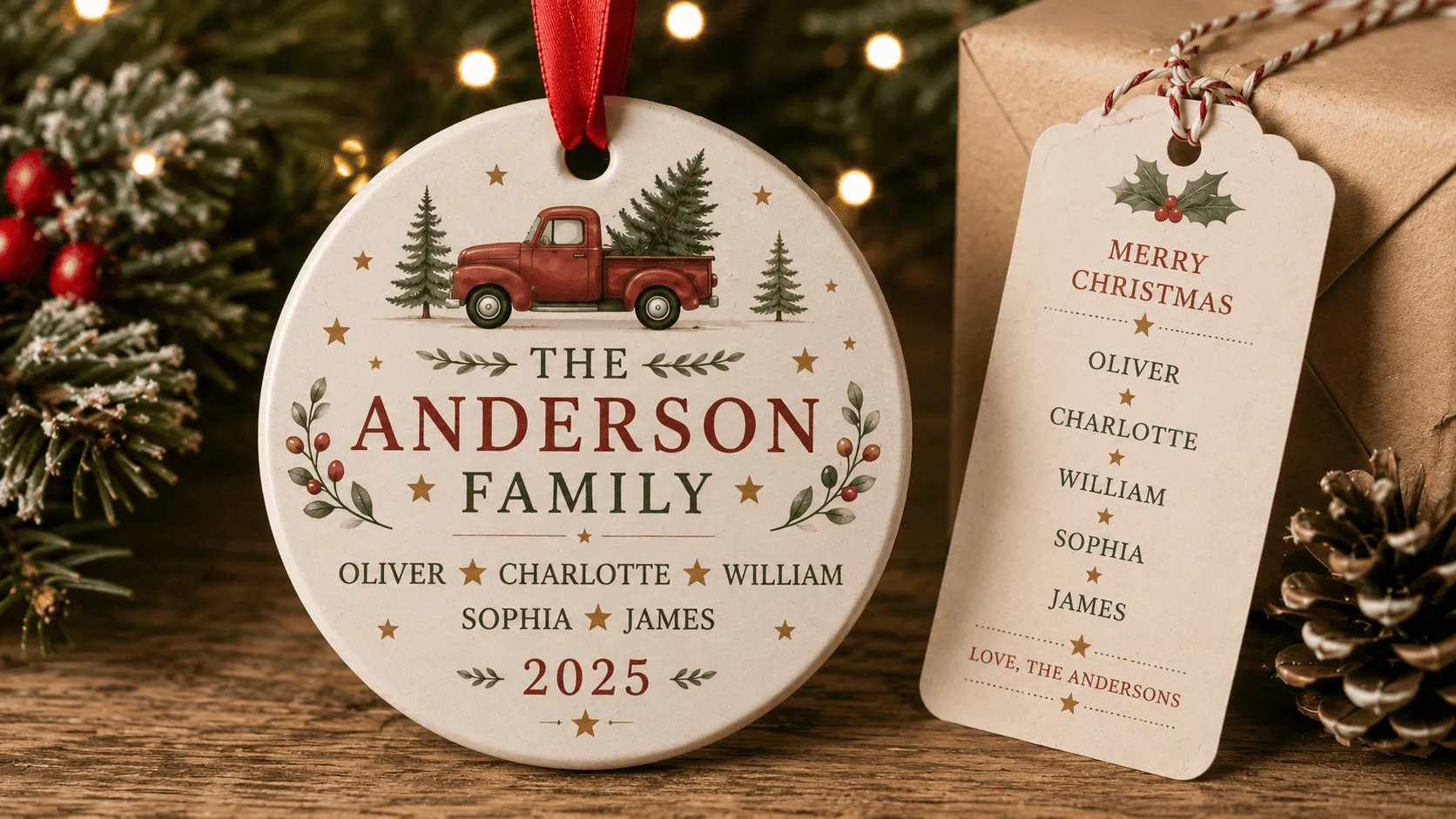
🎄 7. Holiday ornaments and gift tags
Ornaments with a family name and a year, or a list of kids' names on one tag, benefit from a consistent separator so the design doesn't look cluttered during your busiest selling season.
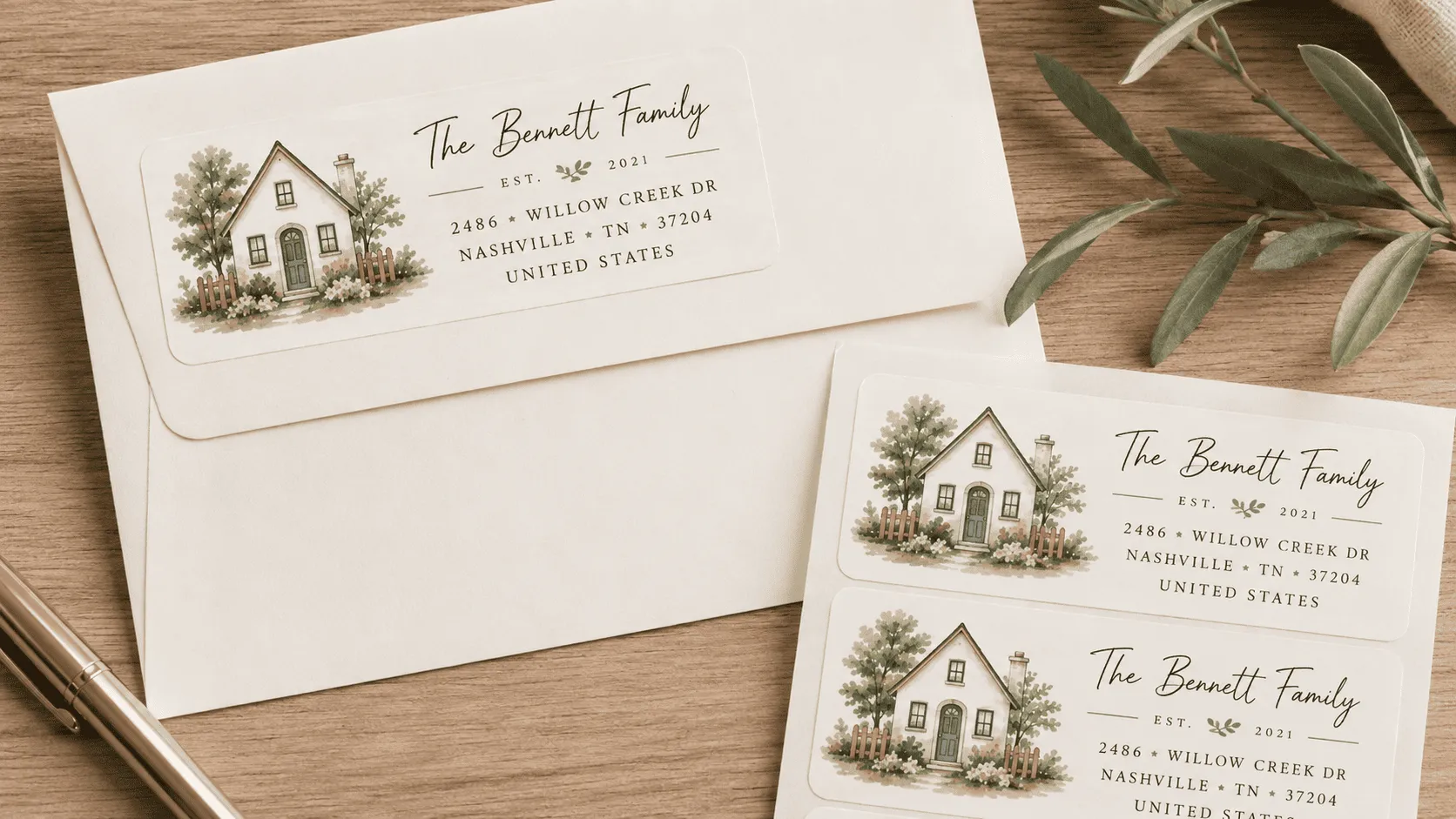
🏷️ 8. Address labels, stickers, and stationery
Return address labels and stationery often need punctuation between a street number, a name, and a city that customers don't think to type themselves.
Between Characters and Between Words let you standardize that formatting across every single order, so nothing ships looking inconsistent.
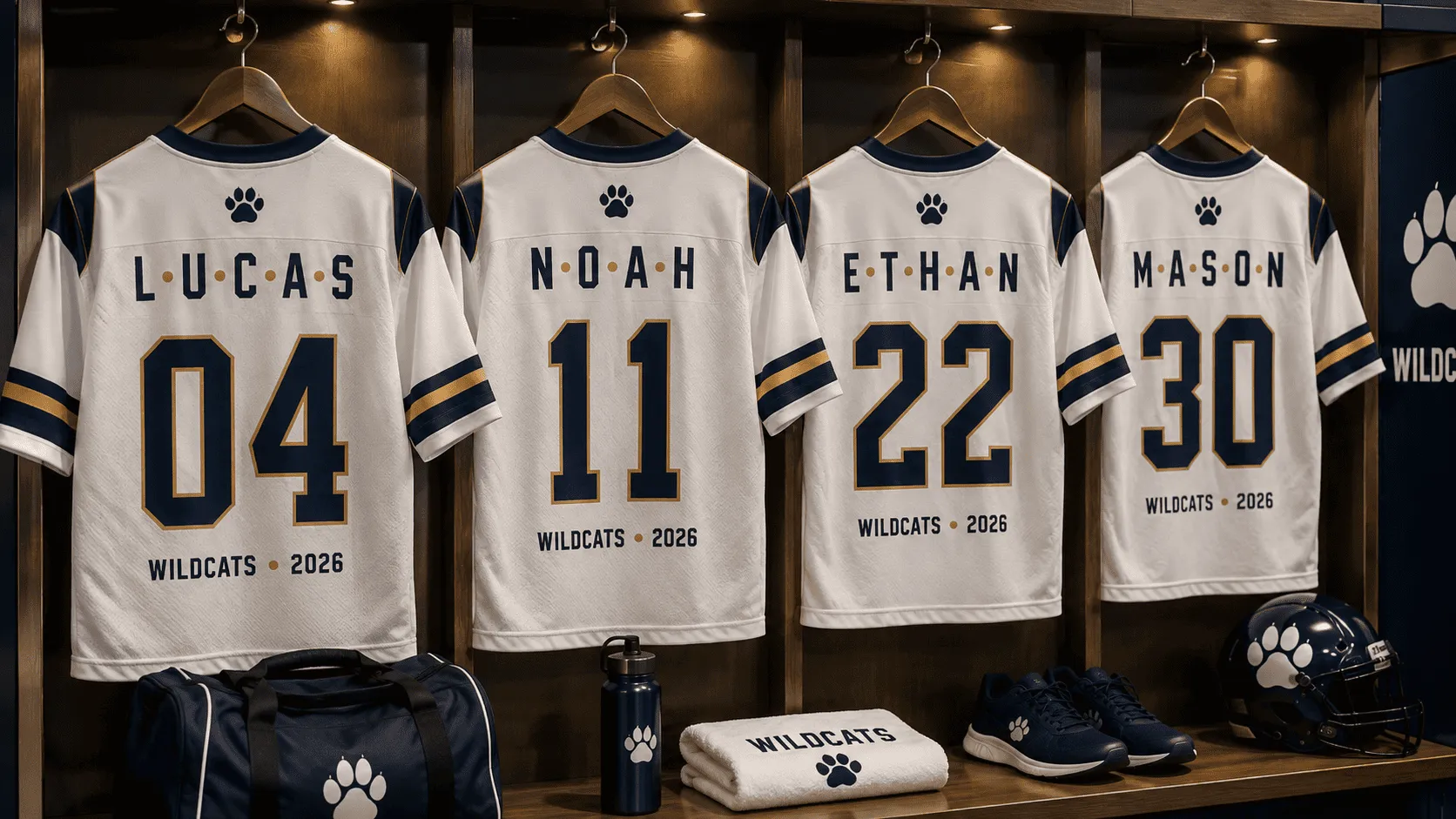
👕 9. Team, group, and matching sets
Custom apparel or accessories for sports teams, bridal parties, or work groups often list multiple names or numbers together.
A consistent separator, a star, a slash, or a bullet, keeps every version of the design visually aligned across the whole set.
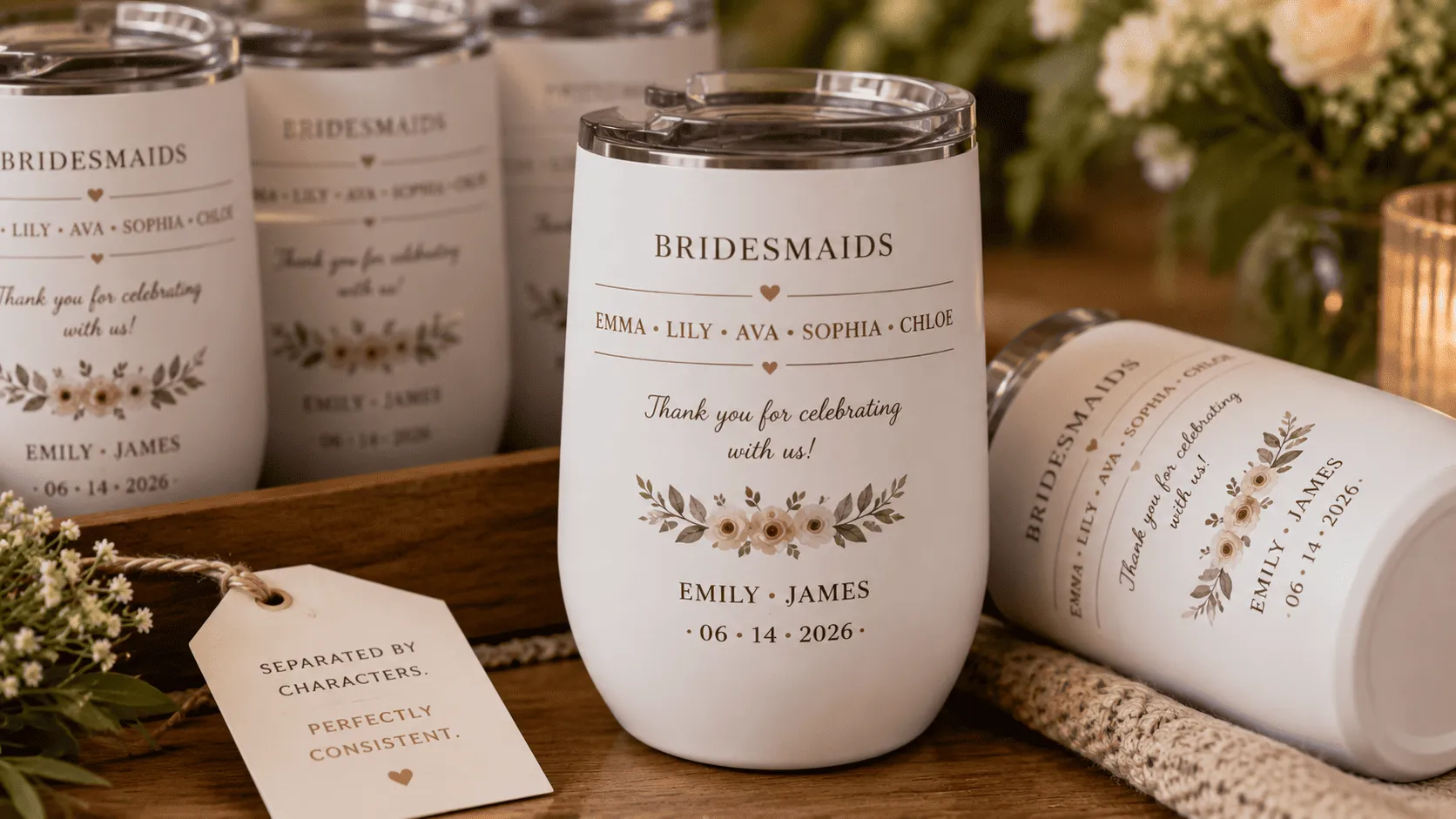
🍰 10. Personalized food and drink labels
Labels for bottles, tumblers, or bakery boxes often combine a name with a date or a short message.
Between Words keeps that combination clean and readable at a glance, even on small label sizes where spacing matters most.
How to start using it in Customily
Getting started takes a few minutes inside Customily's Design Studio:
- Open your design in Design Studio
- Select the text element you want to update
- Go to Advanced
- Set your fixed text under Between Characters and/or Between Words
- Preview how customer input will look with the new formatting applied
- Publish and start selling
⚠️ One thing to keep in mind: The font used must contain a compatible character with the letter/symbol entered. If your font doesn't include the letter/symbol entered, you can always edit the font with a type software like FontForge.
Final thoughts
This is the kind of update that pays off the second you turn it on. No new workflow to learn, no extra step for your customers, just designs that instantly look sharper, more finished, and more premium.
Think about what changes on your end: a monogram stops needing manual spacing between letters. A family name design stops needing you to rebuild it every time someone orders a different number of names. An engraved ring stops depending on the customer remembering to type a dash themselves. Customily's Fixed Text Between Characters and Fixed Text Between Words take all of that off your plate, permanently, for every product you set it up on.
And because it lives right inside Design Studio, next to Prefix, Suffix, Curved Text, and Warped Text, it works with the tools you're already using. There's no new app to install and no extra cost to unlock it.
Every monogram, every family name piece, every engraved gift you sell just got an upgrade for free. The only thing left to do is open Customily's Design Studio and set your first Fixed Text.
Go try it on your best-selling product right now, you'll see the difference in one preview!
Frequently asked questions
What is the Between Characters feature in Customily?
Between Characters is a Design Studio setting that automatically inserts a fixed letter or symbol between every character a customer types, commonly used for monogram-style personalization.
What is the Between Words feature in Customily?
Between Words automatically inserts a fixed symbol or word between every word a customer enters, useful for family name designs, engraved lists, and matching sets.
Where do I find Between Characters and Between Words in Design Studio?
Both settings are located under the Advanced section of any text element, including Curved Text and Warped Text elements.
Why isn't my fixed character showing up in the design?
The font applied to that text element needs to include the character or symbol you've set. If it doesn't, you can add it using font-editing software like FontForge.