Table of Contents
Personalize your Shopify products
Install for freeJuly brought one of our biggest marketplace updates yet: compatibility with Etsy’s native personalization fields. Shoppers can now personalize eligible Etsy products before checkout using Etsy’s own personalization experience, while merchants can keep Customily connected to the workflow behind the scenes. We also introduced a new Sidebar, added the ability to insert fixed text between characters and words, and launched Text Cutout for even more creative text-based designs.
Let’s dive into what’s new! 🚀
New Sidebar Navigation 🧭
We’ve redesigned Customily’s navigation to make it easier to find what you need and move around the app!
Compatibility with Etsy Personalization Fields is Here! 🆕 🧡
You can now let shoppers personalize your Etsy products before checkout using Etsy's native personalization fields.
With the new Etsy Personalization mode, shoppers can enter text, choose from predefined options, or upload images directly on Etsy, no post-purchase personalization email required.
Once an order is placed, Customily automatically maps the personalization data to your Template and generates your production files.
👉🏻 Learn everything about this awesome update here!
Insert Fixed Text Between Characters & Words 🔠
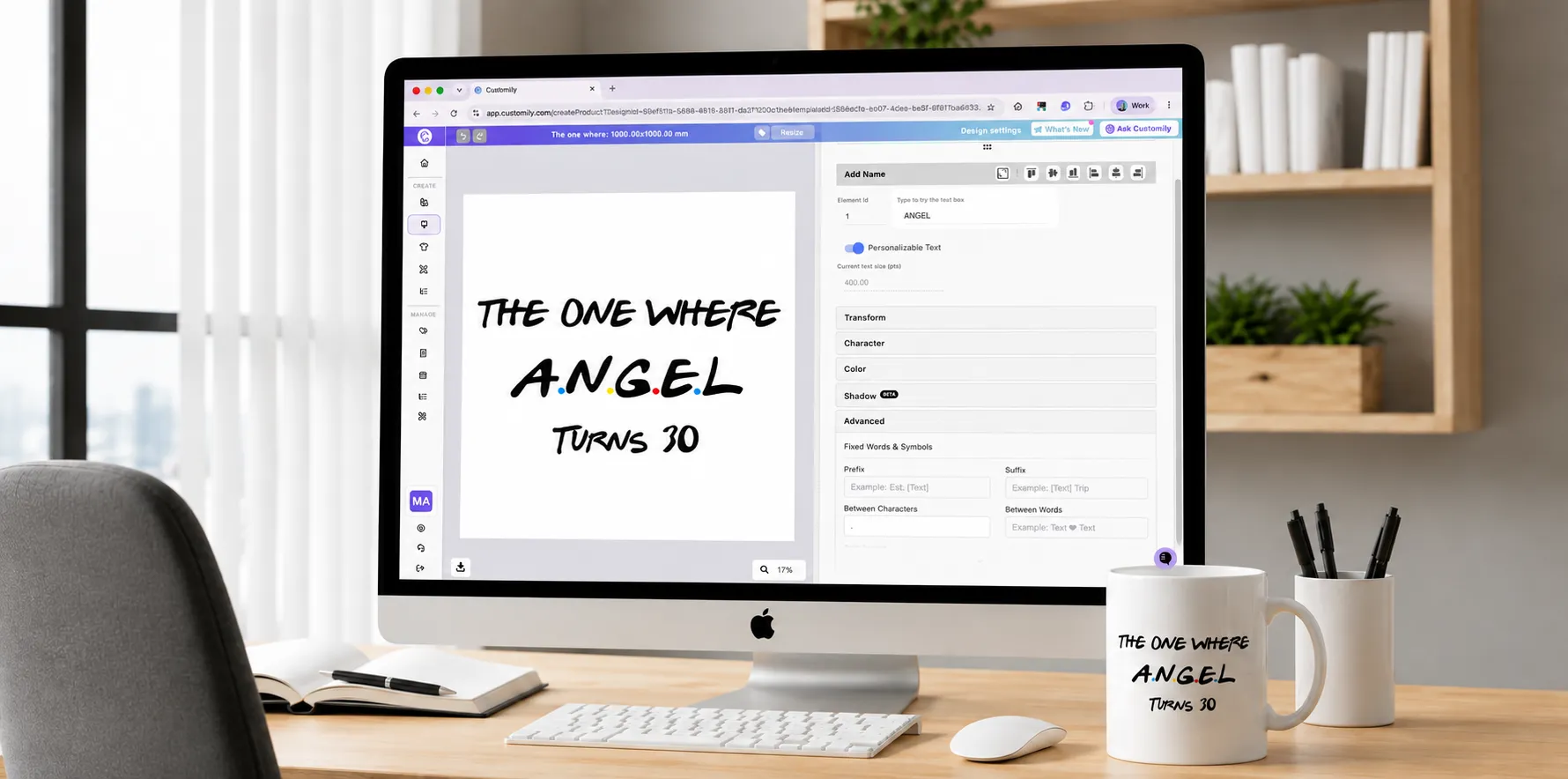
We’ve expanded our fixed text options with Between Characters and Between Words. Just like Prefix and Suffix, these new fields automatically insert fixed letters, symbols, or words, but this time between your shoppers’ input words.
This lets shoppers enter their text naturally while Design Studio automatically formats it for you!
👉🏻 Learn how to set it up here!
New Feature: Text Cutout! ✂️
Create eye-catching text effects with the new Text Cutouts option.
Think of it as the opposite of Text as Mask. Instead of filling your text with the image below, Text Cutouts cuts the text out of the image, creating a transparent window through the artwork.
Allow Deselecting from Multi-Select Swatches ❌
Managing multiple image selections just got even easier.
When using Swatch Options that Allow Multiple Selections, shoppers can now remove individual selections directly from the selected swatches, without needing to interact with the preview canvas.
Previously, removing an item depended on deleting it from the preview itself. Now, the swatches themselves provide a much more intuitive way to deselect items, giving shoppers greater control while keeping the personalization flow simple.
Smart Face Placement for Face Cutout Effect ✨
"One size does not fit all", and that's especially true for the Face Cutout effect. Faces with long hair, hats, or voluminous styles result in different face sizes and positions once the shopper uploads their photo.
That's all in the past. The Face Cutout effect now includes a Smart Face Placement feature that automatically adjusts the face position and size to fit your design perfectly.
This means:
- ✅ A better shopper experience out of the box.
- ✅ Fewer fulfillment adjustments on your end.
- ✅ Less risk of returns due to unexpected result.
👉🏻 Learn how to set it up here!
Need Help?
Our team is always here for you. If you have any questions or want to see these features in action, just reach us at support@customily.com.
Try all our new features now inside Customily Studio and let us know what you think 🤩
Happy customizing! ⭐