Table of Contents
Personalize your Shopify products
Install for freeTo let shoppers upload their own photos, edit them and see the finished product before adding it to cart, you need a product personalization app, not a basic product-options or file-upload app. On Shopify, Customily Product Personalizer handles single and multi-photo uploads, collages, cropping, background removal and a real-time product preview, then generates the print-ready file automatically. It costs $49/month plus $0.10–$1 per personalized order item, with a 9-day free trial.
Upload field vs. photo personalizer: which one do you need?
Shopify can’t do this on its own. Apps that add a plain file-upload field collect the image, but the shopper never sees it on the product and you still have to build the print file by hand.
A photo personalizer is a different category. The shopper uploads, adjusts and previews the photo on the product page, and the app produces the production file. If your product’s value depends on the customer’s photo looking right (photo gifts, phone cases, canvas, apparel, packaging), you need the second category.
Which features should a customer photo upload app have?
Use this checklist before you install anything:
- Live preview on the real product. The shopper should see the photo update on the product mockup as they edit, not a thumbnail of the file.
- Multiple photos per product. Collages, family products and photo books need several upload zones, each editable on its own.
- Editing inside the product page. Cropping and positioning within the printable area, so customers don’t have to upload a finished file.
- Image tools that fix bad photos. Background removal, face cut and filters turn an average phone photo into a printable design.
- Text, clipart and logos in the same design. Names, dates and logos should sit next to the photo in one preview.
- Automatic print-ready files. One file per order item, in the format your printer or POD partner needs.
- POD and platform coverage. Check that it connects to your fulfillment partner and to every channel you sell on.
Can customers combine several photos into one product?
Yes, with Customily. A product can have multiple photo upload zones, and each photo is edited independently. That covers collages, multi-photo blankets and canvases, and family or pet products. The shopper sees the full composition in the live preview before adding to cart.
Can shoppers edit and position their own image instead of uploading a finished file?
Yes. In Customily, customers crop and position the photo inside the printable area of the product, and the preview updates in real time. They can also:
- Remove the background in one click.
- Use face cut, which detects and isolates the face in a portrait.
- Fit the photo into shapes (hearts, circles, stars) with photo masks.
- Apply filters and adjustments: black-and-white, sepia, brightness, contrast, saturation and style filters.
The merchant decides which of these tools each product offers.
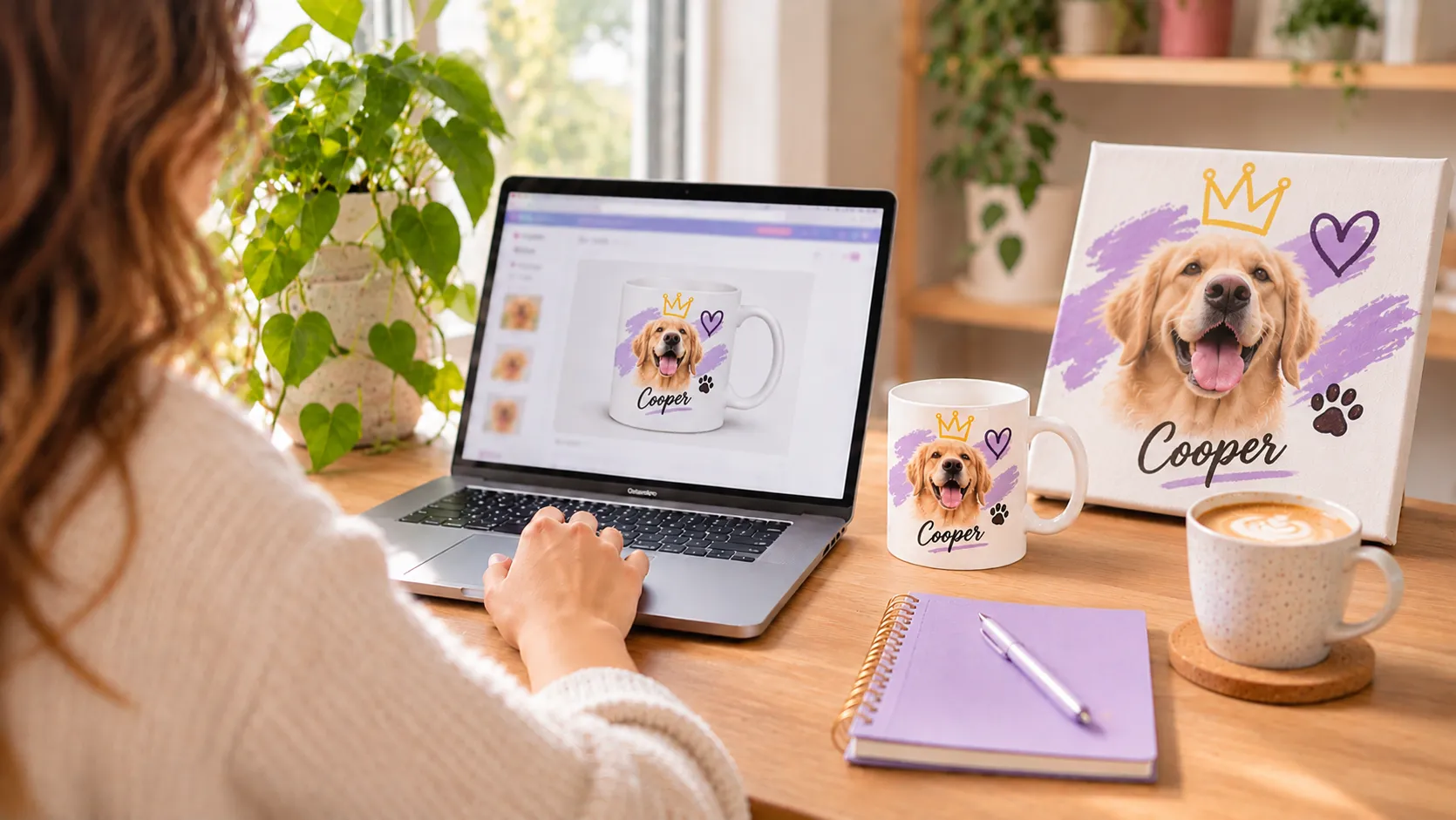
Can customers add text and a logo next to their photo?
Yes. Text, clipart and uploaded logos are part of the same design as the photo, and all of it appears in one live preview. Merchants can also import designs from Canva in one click and use free clipart.
What happens after the order: print-ready files and fulfillment
Customily generates a print-ready file for every personalized order item automatically, formatted to the product’s specs. It sends orders to print-on-demand partners including Printify, Printful, Gelato, Gooten, CustomCat, ShineOn, JetPrint, Teelaunch, merchOne, Merchize and Printbelle. Self-fulfilling print shops download the files instead.
Which setup fits your store?
- Phone cases (made-to-order): one upload zone, crop to the case shape, live preview on the case model, print file sized to the device.
- Photo gifts and collages: multiple upload zones, photo masks and filters; the shopper approves the full collage in the preview.
- Home decor (canvas, blankets, pillows, wall art): multi-photo layouts plus names and dates on the same design.
- Custom packaging and branded products: buyers upload artwork or a logo, pick options and see the product image update live.
- Apparel: photo plus text on the garment, with print files sent straight to your POD partner.
- Print shops: customers combine several uploaded photos into one design; you receive a production-ready file per item.

How much does it cost?
- Customily plan: $49/month plus a $0.10–$1 transaction fee per order item, charged only on products that use Customily.
- Free trial: 9 days.
- Includes: unlimited products and options, unlimited print-ready exports, POD automation, AI effects and filters, support and live training.
- Rating: 4.9/5 from 282 reviews on the Shopify App Store (November 2026).
Does it work outside Shopify?
Yes. Customily is built for Shopify and is also available for Etsy, WooCommerce and Amazon, so the same personalized products can run on several channels. The app is available in 11 languages.
When is Customily not the right fit?
- You only need to collect a file and never show it on the product: a basic upload-field app is cheaper.
- You sell one-off commissions designed by hand after a chat with the customer: a quote or form workflow fits better than self-service personalization.
- You need a full 3D configurator for engineered products (furniture dimensions, machinery): look at dedicated 3D configurators.
Frequently asked questions
Which Shopify app lets customers upload a photo and see it on the product?
Customily Product Personalizer. Shoppers upload a photo, crop and position it, and see it on a real-time product mockup before adding to cart. The app then creates the print-ready file automatically.
Can customers upload more than one photo?
Yes. Customily supports multiple photo upload zones per product, each editable on its own, so you can sell collages and multi-photo products with a live preview of the full design.
Can shoppers remove the background of their photo?
Yes. Customily includes one-click background removal and face cut on the product page, plus photo masks and filters. No extra app is needed.
Do I have to create print files manually?
No. Customily generates a print-ready file per order item and can send it automatically to POD partners such as Printify, Printful and Gelato.
How much does a photo personalization app cost on Shopify?
Customily costs $49/month plus $0.10–$1 per personalized order item, with a 9-day free trial.