



Table of Contents
Personalize your Shopify products
Install for freePersonalized photo products - mugs, ornaments, blankets, phone cases, canvas prints, jewelry - have become one of the fastest-growing categories in ecommerce, especially on Shopify. But there's a gap between "customer uploads a photo" and "customer gets a product they actually love." That gap is where most stores lose sales.
A real photo product customization tool doesn't just accept an image file. It helps the shopper turn a random photo from their camera roll into something print-ready, flattering, and personal; without needing Photoshop skills or a second thought. That's exactly what Customily's photo upload suite is built to do for Shopify, Etsy, WooCommerce, and Amazon merchants.
Here's everything merchants can offer shoppers when photo uploads are powered by Customily.
Why "Just Upload a Photo" Isn't Enough
Most personalization apps treat photo upload as a single step: the customer picks a file, and that's it. The problem is that real customer photos are messy: bad lighting, cluttered backgrounds, awkward crops, low resolution. Without editing tools built into the customization experience, one of two things happens: the merchant ends up manually fixing files after every order, or the customer receives a product that doesn't look like what they expected.
A photo product customization tool solves this at the point of sale, letting the customer perfect their image before they ever click "Add to Cart", right inside the Shopify product page, with no separate app or redirect breaking the shopping experience.
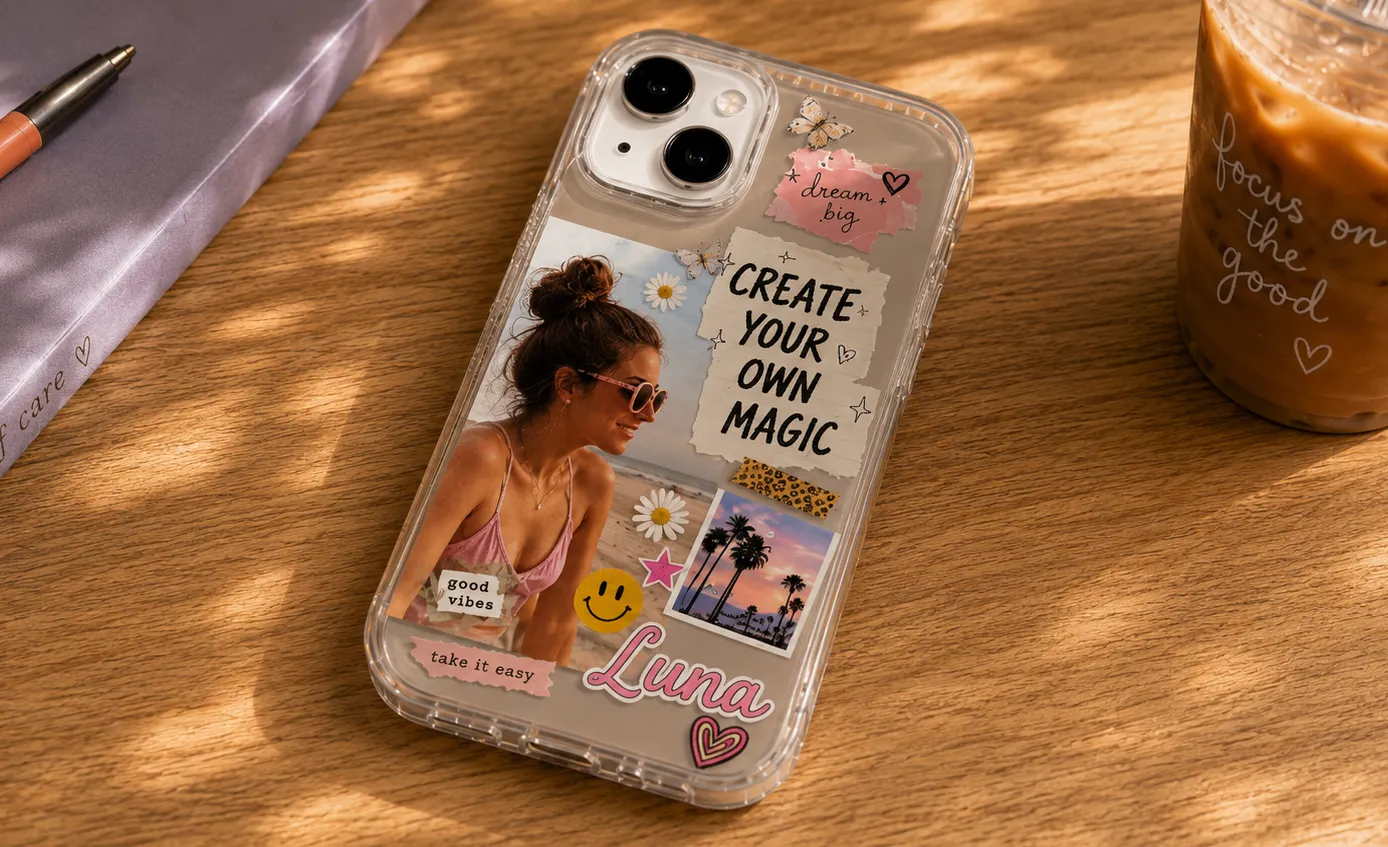
Background Removal, Built Into the Product Page
One of the most requested features for photo products is automatic background removal. With Customily, shoppers can upload a photo and remove the background in a click, no design skills required. This is especially powerful for:
- Pet portraits on mugs, ornaments, and apparel
- Photo cutouts for stickers and acrylic standees
- Portrait products where a busy background would clash with a template
- Any product where the photo needs to sit cleanly inside a shape, silhouette, or frame
Because it happens live on the product page, the customer sees the cutout result immediately and can decide if they want it, rather than finding out after the order is placed.
Face Cut: Precision Personalization for Portraits
For products built specifically around a face - think custom bobbleheads, face-swap novelty items, portrait pillows, or face-shaped ornaments - generic cropping isn't precise enough. Customily's face cut functionality detects and isolates the face from the uploaded photo, letting merchants offer templates where the customer's face is automatically placed into a shape, mask, or design element.
This turns a category that traditionally required manual graphic design work into a fully self-serve experience, which means faster fulfillment and far less back-and-forth with customers over proofs.
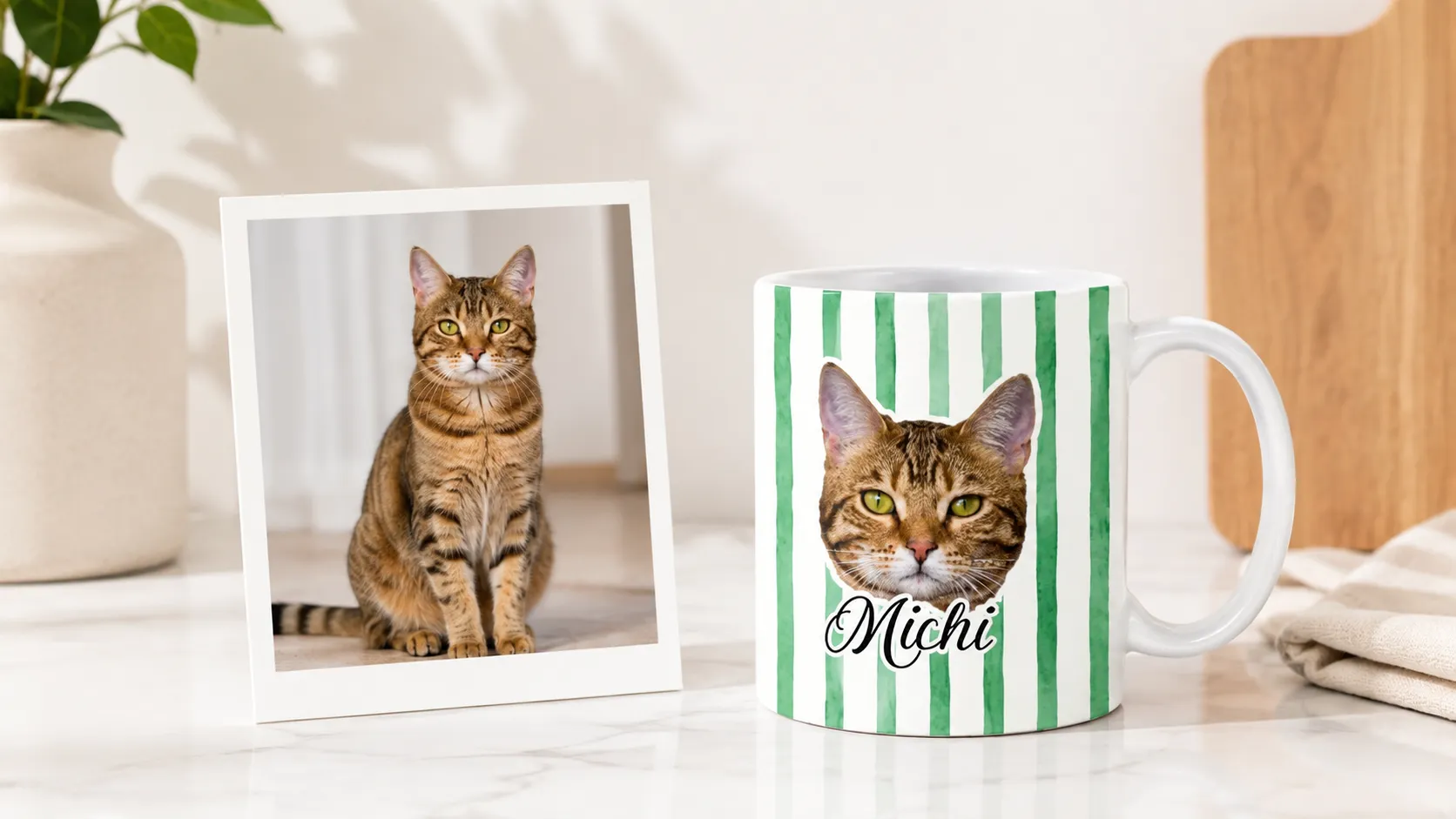
Photo Masks: Fitting Photos Into Fun, On-Brand Shapes
Beyond straight rectangular crops, Customily lets shoppers fit their uploaded photo into custom shapes: hearts, circles, stars, ornament silhouettes, or any shape a merchant designs. This is a simple feature with an outsized impact on perceived product value: a heart-shaped photo on a locket or ornament reads as "designed for this," not "a photo someone slapped on a template."
Photo masks work seamlessly with background removal and face cut, so merchants can offer combinations like a face-cut portrait masked into a heart shape with the background already removed, all in a few clicks on the product page.
Filters and Effects That Match the Product Style
Not every product calls for a straight, untouched photo. A vintage-style photo blanket looks better with a sepia or black-and-white treatment; a pop-art canvas benefits from a bold color effect. With Customily's photo editing tools, shoppers can apply filters and effects directly in the customizer, including:
- Black & white and sepia tones for classic, timeless looks
- Brightness, contrast, and saturation adjustments so photos taken in poor lighting still look good on the final product
- Style filters that match a specific product theme (vintage, pop art, sketch-style, and more depending on store setup)
These built-in filters are free to use for every shopper, with no extra editing app or subscription required. For merchants who want to go further, Customily also supports connecting AI-powered image tools like Gemini and ChatGPT directly into the personalization flow, opening the door to AI-generated backgrounds, style transfers, and creative edits that go beyond a standard filter set.
This gives merchants a way to guide customers toward outcomes that actually print well, instead of leaving photo quality entirely up to chance.
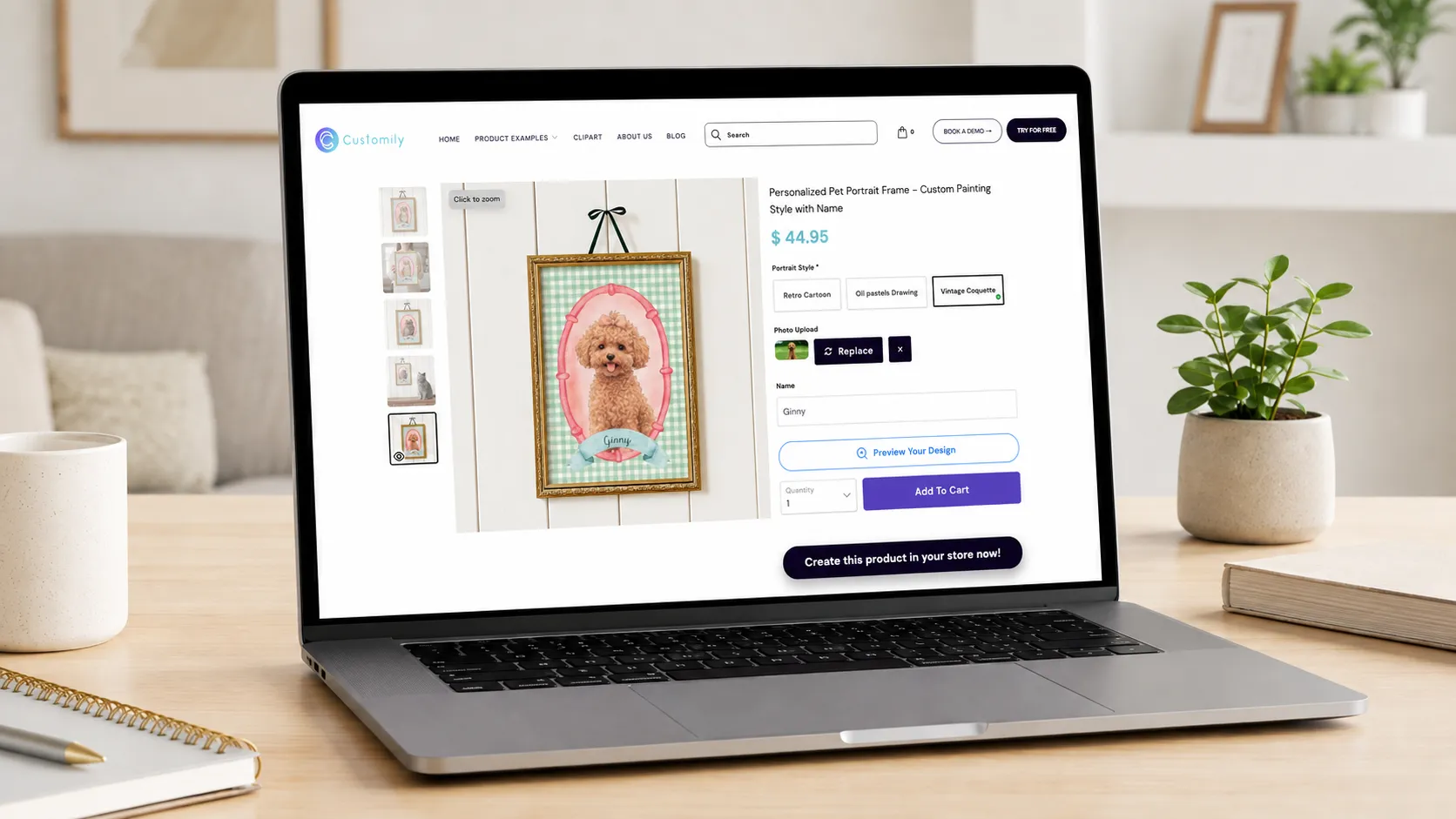
Live Preview: What You See Is What You Get
Every photo edit in Customily - cropping, background removal, face cut, filters - updates in a real-time mockup, so the customer always sees exactly how their edited photo will look on the actual product before buying. This does double duty: it increases buyer confidence (fewer abandoned carts, fewer "will this actually look right?" hesitations), and it reduces post-purchase support tickets and reprint requests, since the customer approved what they saw.
Smart Cropping and Print-Ready Sizing
Uploaded photos rarely arrive in the exact aspect ratio a product needs. Customily automatically guides shoppers to crop and position their photo within the printable area, so the final file is sized and positioned correctly for production, without the merchant needing to check every order manually before it goes to print.
Automatic Print-Ready Files, Sent Straight to Production
Editing the photo is only half the job, the other half is making sure the final file is actually production-ready. Customily automatically generates print-ready files for every order, formatted to each product's exact specs, so merchants never have to manually prep, resize, or check a customer's photo before it ships to production.
This is especially powerful combined with Customily's connections to top POD providers like Printify, Printful, Gelato, JetPrint, ShineOn, CustomCat, Gooten, and Teelaunch. Once an order comes in, the edited photo and generated print file flow straight through to the connected POD, with no manual export or file-matching step in between. Merchants get a photo personalization experience that looks effortless to the shopper and runs itself on the fulfillment side.
Multi-Photo Products
Some of the best-selling personalized products - photo collages, multi-pet items, family photo blankets - need more than one image. Customily supports multi-photo upload zones within a single product, with each photo individually editable (crop, filter, background removal) inside its own slot in the design.

Built for Shopify, and Available on Etsy, WooCommerce, and Amazon
Shopify is where most photo personalization stores live, and it's where Customily's photo tools feel most native: everything from upload, background removal, face cut, masks, filters, live preview and more, runs directly inside the Shopify product page, with no redirect or separate checkout flow to break the experience or slow down conversion.
The same photo editing suite is also available for merchants selling on Etsy, WooCommerce, and Amazon, so stores running photo products across multiple channels don't have to rebuild the experience differently on each one.
Why It Matters for Conversion
Photo products live or die on trust. A shopper uploading a personal photo - of their pet, their child, their late grandmother - needs to feel confident the final product will look right before they hand over their card details. For Shopify stores especially, where shoppers are used to fast, polished checkouts, every extra doubt is a lost sale. Every editing and preview feature above exists to close that trust gap:
- Background removal and face cut remove the guesswork of "will my photo fit the template?"
- Photo masks make the final product feel intentionally designed, not just a photo pasted onto a shape
- Filters and effects help photos that wouldn't otherwise print well still look great
- Live preview turns uncertainty into confidence at the exact moment of purchase
- Automatic print-ready files and POD connections mean the photo the customer approved is exactly what gets produced, with no manual handoff to introduce errors
For merchants, that translates directly into higher conversion rates, fewer refund requests, and less manual order cleanup.
Get Started on Shopify
If you're running a Shopify store - or selling on Etsy, WooCommerce, or Amazon - and want to offer a true photo product customization tool, not just a basic upload field, Customily's photo editing suite is built to handle backgrounds, faces, filters, and live previews out of the box.
Install Customily from the Shopify App Store to see it running on your own product pages, or book a demo to explore Customily on other platforms!
Frequently Asked Questions
What is a photo product customization tool?
A photo product customization tool lets shoppers upload their own photo and personalize it - cropping, editing, applying filters, removing backgrounds - directly on a product page, then preview exactly how it will look on the final product before purchasing.
Can customers edit their photo before ordering, or just upload it?
With Customily, customers can fully edit their photo before ordering: remove the background, cut out a face, fit it into a shape like a heart or circle, apply filters and effects, and crop it to the printable area, all live on the product page.
Does Customily work with AI photo editing tools?
Yes. Along with a set of free built-in filters, Customily supports connecting AI-powered tools like Gemini and ChatGPT into the personalization flow for more advanced edits, such as AI-generated backgrounds or style transfers.
Do merchants need to manually prepare print files after each order?
No. Customily automatically generates print-ready files for every order, formatted to each product's specs, so merchants don't need to resize or check files manually before sending them to production.
Which platforms and POD providers does Customily support for photo products?
Customily works on Shopify, Etsy, WooCommerce, and Amazon, and connects directly to top POD providers including Printify, Printful, Gelato, JetPrint, ShineOn, CustomCat, Gooten, and Teelaunch.
Does photo personalization slow down my product page or checkout?
No. All editing tools - upload, background removal, face cut, masks, filters, and live preview - run directly inside the product page, so there's no redirect or separate app breaking the shopping flow.

.webp)


